Creating & Editing Microsoft Office Documents

You can create and edit supported Microsoft Word, Excel, and PowerPoint files directly in Folderit using the Microsoft 365 integration.
Create a new Word, Excel, or PowerPoint file
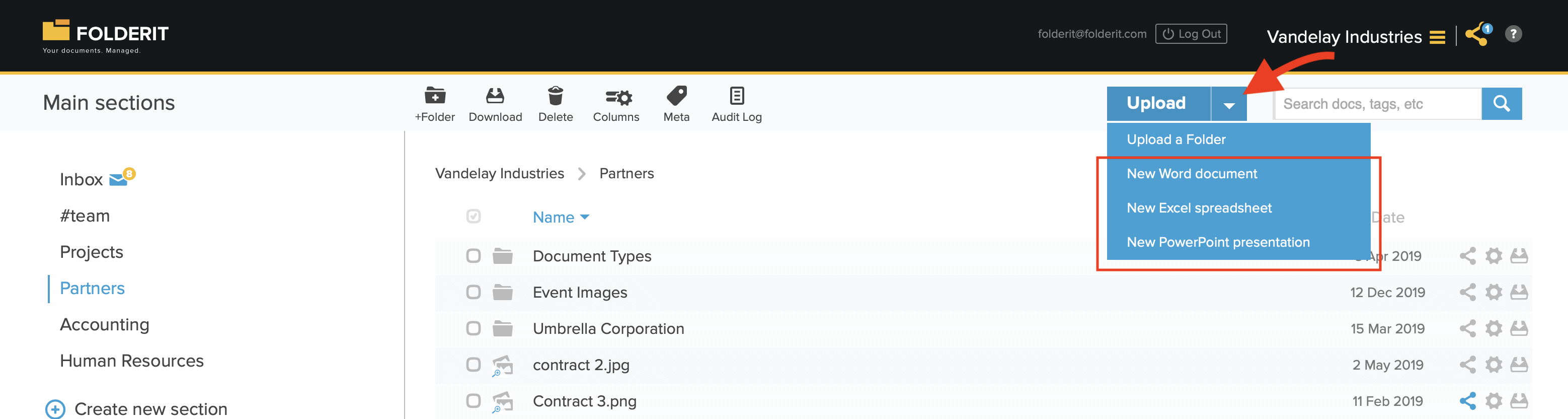
To create a Microsoft Office document:
- Open the folder where you want to create the document.
- Click the arrow next to the Upload button.
- Select the type of file you want to create: Word, Excel, or PowerPoint.
- Enter a file name and continue to open the document in the relevant Microsoft 365 application.
Edit an existing Microsoft Office file
To edit an existing Word, Excel, or PowerPoint file in Folderit:
- Upload the file, or select an existing file in your account.
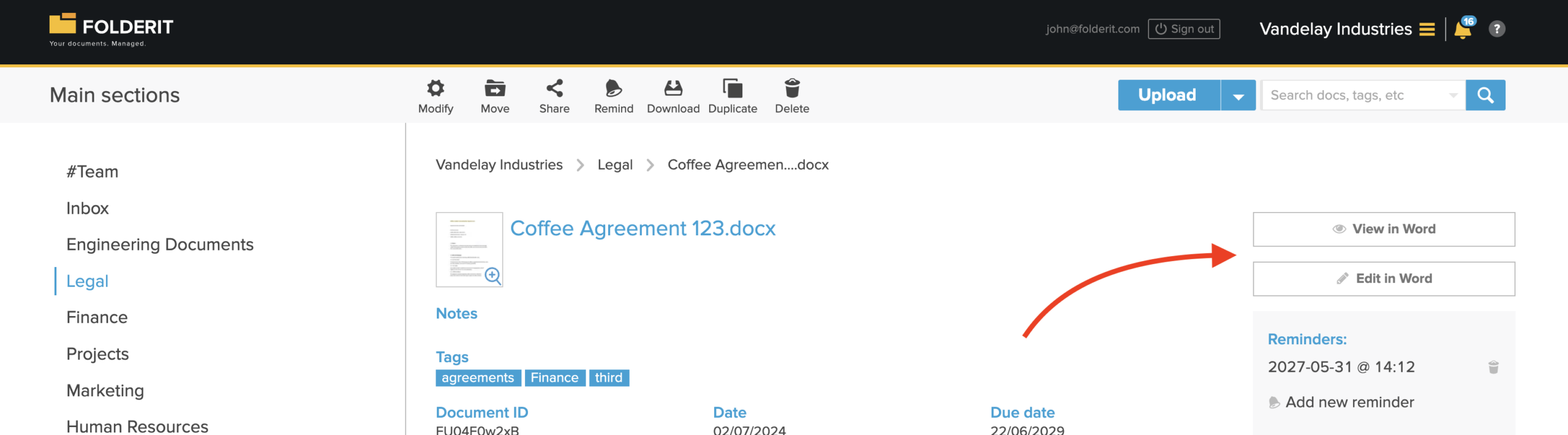
- Click the file in the list view to open its details.
- Find the Edit in Word, Edit in Excel, or Edit in PowerPoint button in the right-hand panel.
- Click the button to open and edit the document in Microsoft 365.
Multiple users can collaborate on the same document unless the file has been checked out and locked for editing. Saved changes are recorded in the file’s version history.
Supported Microsoft Office file formats
View-only formats
| Application | Supported formats |
|---|---|
| Word | .doc, .dot, .dotx |
| Excel | .xls |
| PowerPoint | .pot, .potm, .potx, .pps, .ppsm, .ppt, .pptm |
View-and-edit formats
| Application | Supported formats |
|---|---|
| Word | .docx, .docm, .odt |
| Excel | .xlsx, .xlsm, .xlsb, .ods |
| PowerPoint | .pptx, .ppsx, .odp |
Browser privacy settings
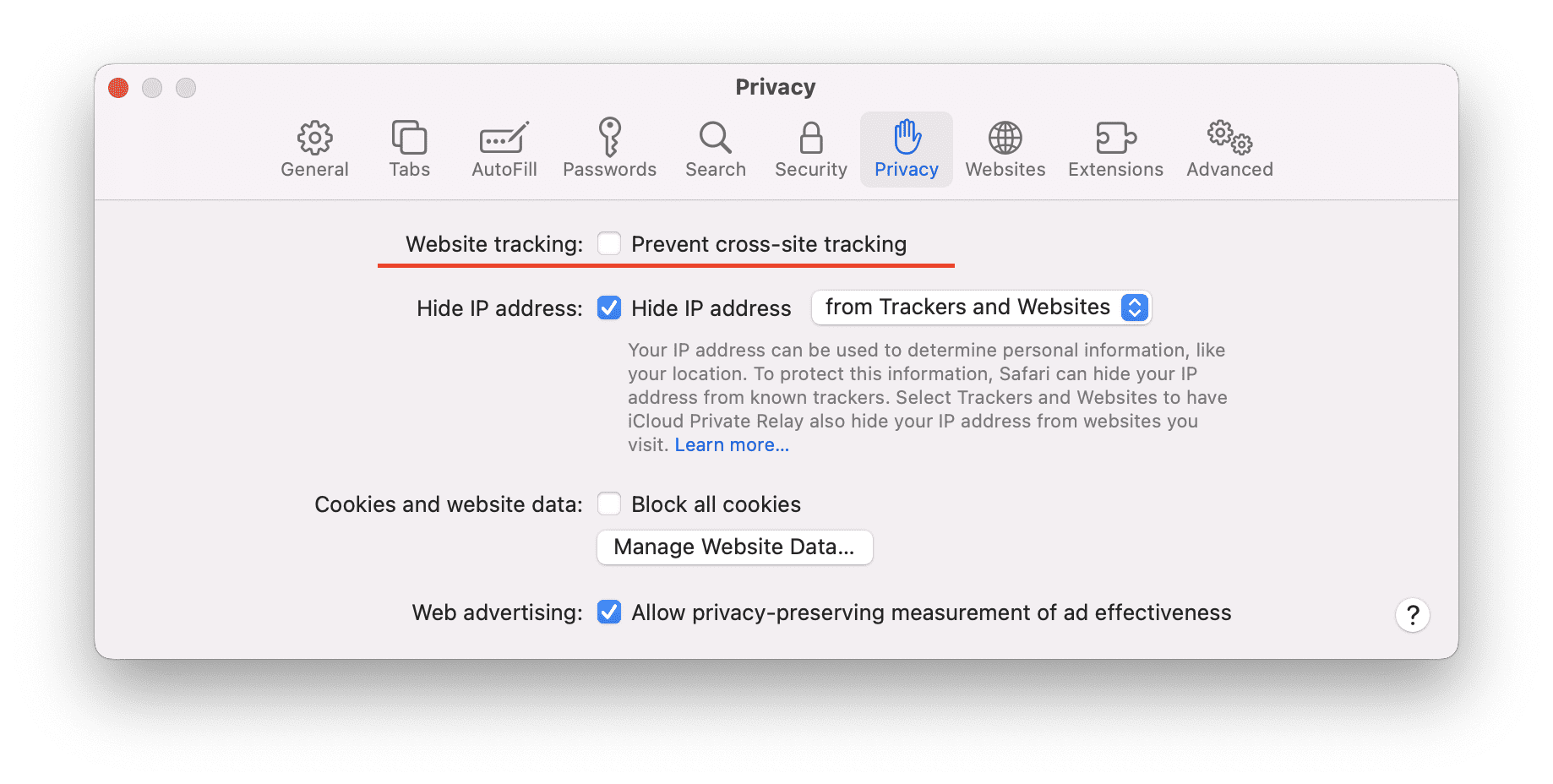
If the Microsoft 365 editor repeatedly reloads or does not open correctly, your browser’s cross-site tracking or third-party cookie settings may be blocking the integration.
Check the privacy settings in your browser and allow the cross-site access required for Microsoft 365 to work with Folderit. The exact setting name may vary by browser and version.