File Archiving Software
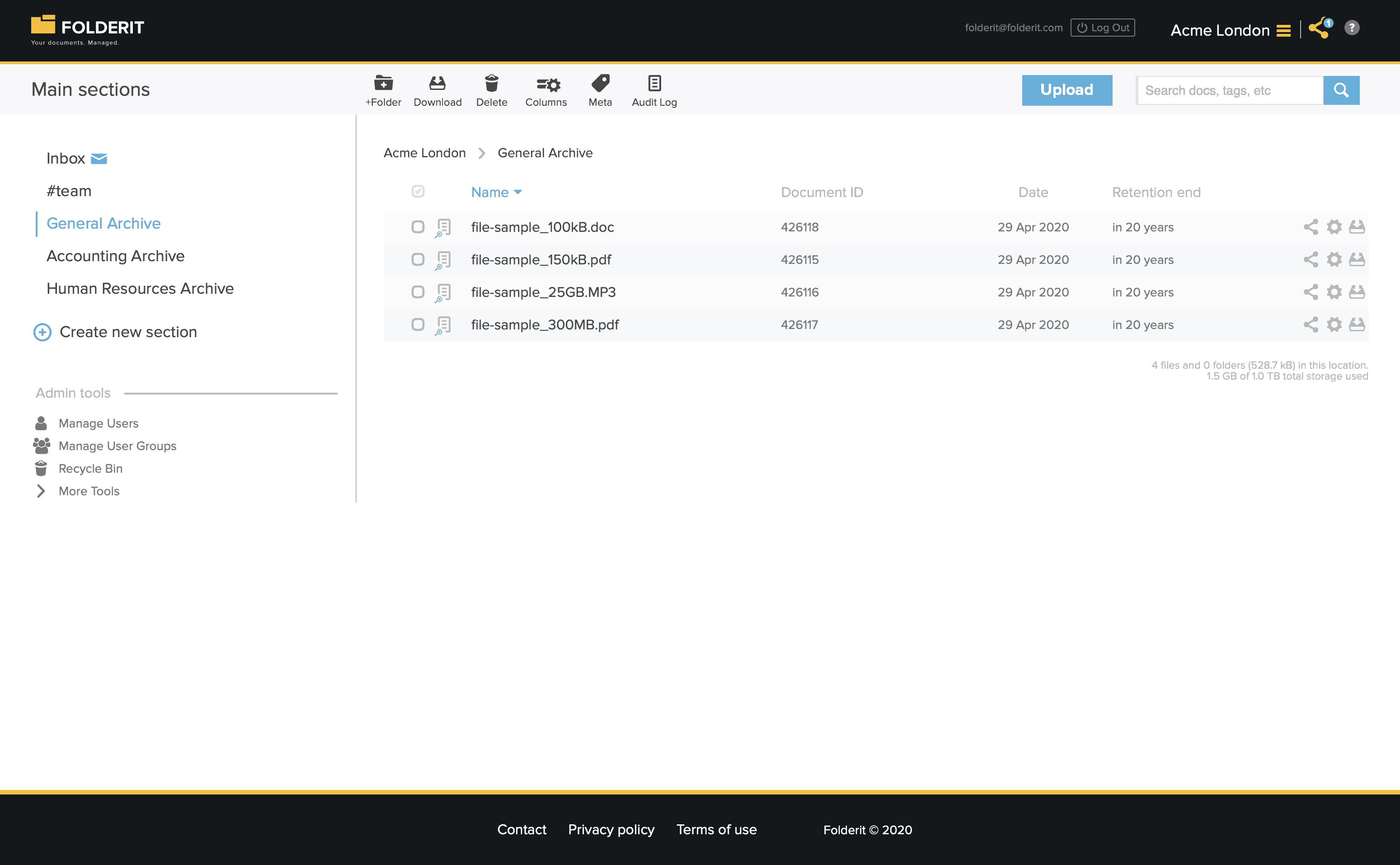
File Archiving Software: Secure, Compliant, and Accessible
File archiving software plays a crucial role in helping organizations securely store, manage, and retrieve important digital documents. Whether you’re preserving corporate records, safeguarding contracts, or maintaining compliance archives, a reliable system ensures these assets remain protected and accessible for years to come.
Modern file archiving software is more than just storage: it’s about intelligent organization, secure access, and efficient workflows. By combining advanced security with user-friendly design, you can keep your archives safe without adding unnecessary complexity to your operations.
Why Businesses Need Robust File Archiving Software
For many organizations, archives contain decades of intellectual property, client records, and sensitive operational data. Losing or mismanaging this information can lead to compliance violations, financial loss, and reputational damage.
With the right file archiving software, you gain:
- Simplified compliance through audit trails and controlled access.
- Centralized storage so all documents live in one secure system.
- Anytime, anywhere access from a web-enabled device.
- Protection from data loss with real-time backups and redundancy.
File Archiving Software Security and Compliance
Security is at the heart of effective file archiving software. Your archives are protected with 256-bit bank-level encryption for stored data and encrypted SSL connections for all data in transit. Even if intercepted, your information remains unreadable to unauthorized parties.
Additional safeguards include:
- IP-based access restrictions to limit logins to approved networks or VPNs.
- Role-based permissions to control exactly who can view, edit, or share files.
- Granular access control down to specific files, folders, and metadata.
- Two-factor authentication and SSO integrations with Microsoft Entra ID, Okta, and Google Workspace.
- Full audit trails showing every interaction with your archived files.
Compliance with standards like GDPR, HIPAA, and ISO 27001 ensures your file archiving software meets strict industry requirements.
Data Durability and Backup
When you store documents in professional file archiving software, you expect them to be there decades later. That’s why your files are stored on Amazon S3, which offers 99.999999999% durability. Every object is backed up in three separate availability zones, with daily snapshots and transaction logs for near real-time recovery.
This level of redundancy ensures that hardware failures, disasters, or human errors won’t result in lost archives.
Organizing and Finding Your Archives
A key advantage of cloud-based file archiving software is powerful organization and search features:
- Custom metadata to tag files with details like retention dates, departments, or case numbers.
- Metadata display in folder views for quick at-a-glance reference.
- Advanced OCR search to find documents based on their content.
- Public tag search for securely sharing approved archives with external audiences.
Version Control and Auditability
Even in archives, documents sometimes need updates. File archiving software maintains a version history so you can track every change and restore earlier versions if needed. Each version can include comments to explain why changes were made, preserving institutional knowledge.
Advanced Access and Sharing
Your file archiving software can do more than just store files—it can manage how they’re accessed:
- Expiring access links for time-limited sharing.
- Preview-only permissions to allow viewing without downloads.
- Security watermarking with user and timestamp details to discourage leaks.
- Workflow automation for approvals, reviews, acknowledgments, or e-signatures before finalizing documents for archiving.
Better Than Local Storage
Physical backups like DVDs, USB drives, or portable hard disks are risky—they can fail, be lost, or get stolen. With cloud-based file archiving software, your data is stored securely, redundantly, and accessibly without the risks of physical media.
For organizations that still require local options, you can export your archives in full or in part. An on-premises deployment is also available for those needing total in-house control.
High-Capacity and Flexible Uploading
You can upload virtually any file type, with single file sizes up to 50 GB. Whether it’s high-resolution images, 8K video, or massive engineering drawings, the process is as simple as drag-and-drop. Bulk uploads allow entire folders to be archived in one action.
Discover how modern file archiving software can protect your organization’s most valuable information while keeping it accessible, compliant, and secure.