Folder Message Markdown Guide
Folder messages in Folderit support Markdown formatting, allowing you to create clear and structured instructions for people using a folder.
You can format text, add headings and links, create lists and tables, and highlight important information. Enter the Markdown syntax directly into the folder message field.
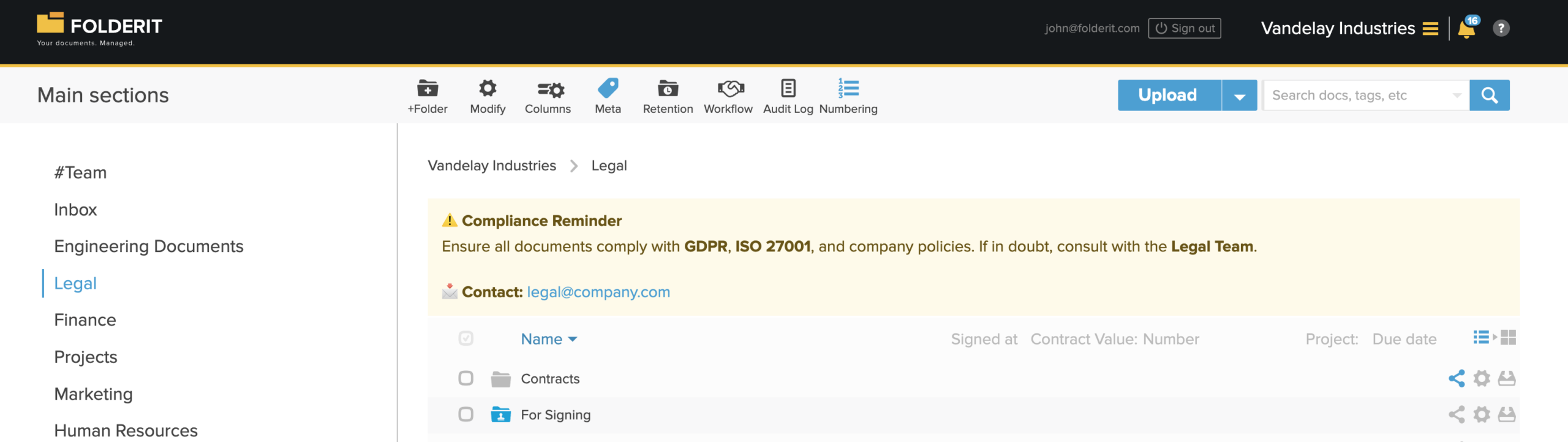
Text formatting
| Format | Markdown syntax | Result |
|---|---|---|
| Bold | **bold text** | bold text |
| Italic | *italic text* | italic text |
| Strikethrough | ~~strikethrough~~ | |
| Inline code | `code` | code |
Headings
Add one or more hash symbols before the heading text:
# Heading 1
## Heading 2
### Heading 3
Use headings to divide longer folder messages into clear sections. For most messages, Heading 2 and Heading 3 are usually sufficient.
Lists
Unordered list
- First item
- Second item
- Third item
Ordered list
1. First item
2. Second item
3. Third item
Links
Use the following format to add a link:
[Folderit website](https://www.folderit.com)The text inside the square brackets becomes the clickable link text.
Blockquotes and notices
Add a greater-than symbol before a line to highlight a note, instruction, or warning:
> Important: Upload the monthly report by the fifth day of each month.Important: Upload the monthly report by the fifth day of each month.
Tables
Tables are created using vertical bars and dashes:
| Document | Owner | Status |
| -------- | ----- | ------ |
| Budget   | Finance | Approved |
| Contract | Legal | In review || Document | Owner | Status |
|---|---|---|
| Budget | Finance | Approved |
| Contract | Legal | In review |
Example folder messages
Finance folder
## Finance Hub

**Monthly reports:** Upload them by the **5th day of each month**.

- [Budget planning](https://example.com)
- [Invoices](https://example.com)

> Make sure all documents include the correct reporting period.
Legal folder
## Legal Documents

**Confidential access only**

- Upload contracts in PDF format.
- Add the appropriate document metadata.
- Submit each contract for review before approval.

> Do not share documents outside the organization without authorization.
Tips for effective folder messages
- Keep instructions brief and specific.
- Use headings to separate different topics.
- Use lists for steps, requirements, or checklists.
- Use bold text only for information that needs emphasis.
- Include links to related folders, policies, or instructions when useful.
- Avoid adding too many emojis, as they can make longer messages harder to scan.