How can we help?
-
Getting Started
-
Files & Folders
-
Workflows & Automation
-
Metadata & Forms
-
Admin Tools
-
Access Management
-
User-level Tools
-
Business-level Tools
-
Reports
Folder Content Report
Export a folder content report to review its contents outside Folderit or share an inventory. The report includes files, subfolders, and form records. Folder header messages are included as a report column.
Export the report
- Open the folder you want to report on.
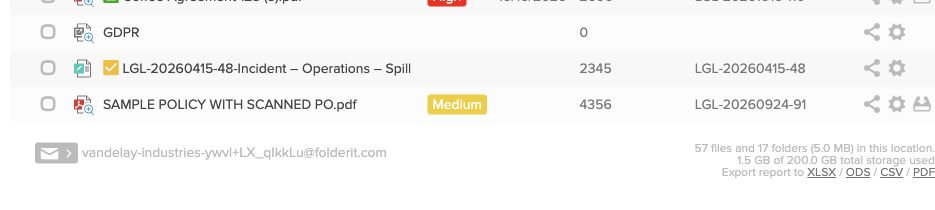
- Scroll to the footer below the folder’s contents.
- Under Export report to, choose XLSX (Excel), ODS (OpenDocument spreadsheet), CSV, or PDF.
- Open or save the downloaded report.
Use XLSX or ODS when you want to sort or work with the exported data, CSV for importing it into another system, or PDF for a readable report.
A folder content report exports information about the items; use the file and folder Download controls when you need copies of the documents themselves.