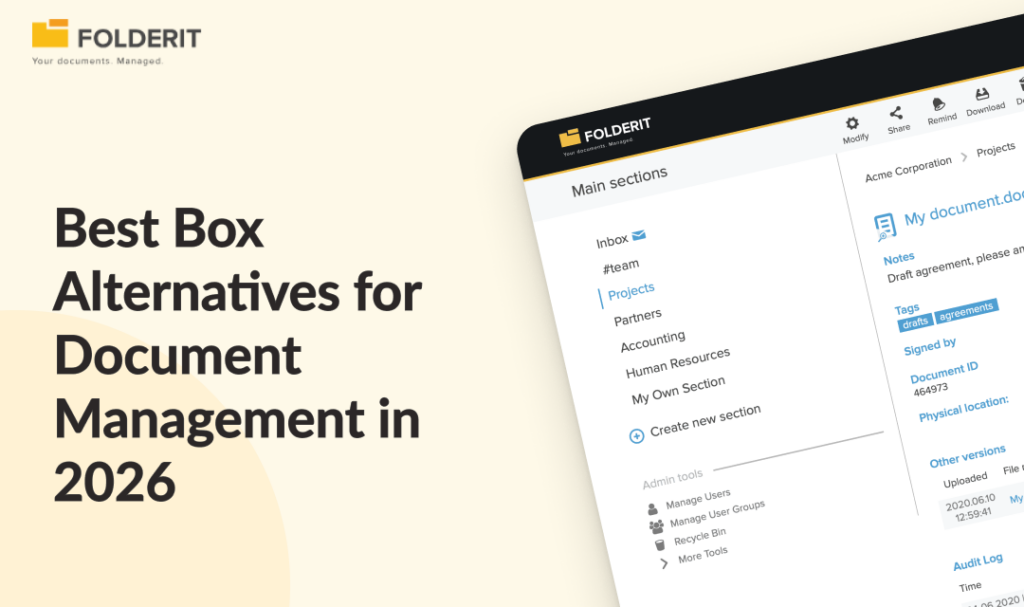
Box works well for general content collaboration and file sharing, but its document control capabilities require add-ons, higher-tier plans, and configuration to approach what a purpose-built DMS delivers natively. The best Box alternatives for businesses that need structured document management is Folderit. Other notable alternatives include: SharePoint, Dropbox Business, Google Drive, M-Files, OneDrive, and Notion. Which one fits depends on whether your priority is file storage or a system that manages controlled document lifecycles, approval workflows, and audit-ready compliance.
If you are searching for a Box alternative, you are probably asking one of two questions: “Is there something cheaper?” or “Is there something that actually does document control?” Those are very different needs, and this guide covers both with honest assessments of seven options so you can make the right call for your business.
Why Businesses Look for Box Alternatives
Small and mid-sized businesses frequently find Box’s per-user pricing steep, particularly as headcount grows, with several noting that competitors offer comparable storage at lower cost. Beyond price, the deeper issue is scope. Box is a cloud content management platform built around collaboration, sharing, and productivity. A document management system is built to control documentation through structured lifecycles: versioning, approvals, access governance, retention rules, and audit-ready reporting. Those are fundamentally different jobs, and choosing Box for document control is less like picking the wrong size tool and more like hiring a courier when you need an archivist.
The governance, workflow automation, and compliance features that close that gap are typically locked behind Box’s higher tiers or sold as paid add-ons, which can significantly increase total spend beyond the headline per-user price. For SMEs that need ISO-ready document control, approval workflows, retention automation, and a full audit trail without enterprise-level costs, Box often delivers more platform than you need in some areas and not enough where it counts.
The most common reasons businesses look for a Box alternative include:
- Per-user pricing that scales uncomfortably as headcount grows
- Compliance features locked behind higher tiers or paid add-ons
- No built-in ISO-aligned document lifecycle management as a native capability
- Wanting EU data residency without enterprise-tier pricing
- Needing a system that non-IT staff can administer day-to-day
Best Box Alternatives in 2026: Quick Reference
| Box alternative | Best for | Document control | Pricing model |
| Folderit | Compliance-ready DMS for SMEs, EU data residency | Approval workflows, retention automation, audit trail, e-signatures as standard | Per-plan |
| SharePoint | Microsoft 365-heavy organizations with IT resource | Configurable, requires add-ons and IT involvement | Included in M365 subscriptions |
| Dropbox Business | Simple file sync, no governance needed | None natively | Per-user |
| Google Workspace | Real-time collaboration, Google-first teams | None natively | Per-user |
| M-Files | Enterprise-scale metadata-driven DMS | Full lifecycle, metadata-driven | Per-user, enterprise pricing |
| OneDrive | Personal cloud storage within Microsoft 365 | None natively | Included in M365 subscriptions |
| Notion | Internal wiki and knowledge base | None natively | Per-user |
1. Folderit: Best Box Alternative for Compliance-Driven SMEs

What makes it different: Folderit is a purpose-built document management system, not a content platform with governance bolted on. Where Box requires higher tiers, add-ons, and configuration to approach compliance-grade document control, Folderit includes approval workflows, acknowledgement tracking, retention policy automation, version history, document numbering, and a complete audit trail as standard features in every plan. Named the most user-friendly DMS in the world by Gartner’s Capterra based on task-completion time benchmarking, it deploys in days rather than months and is designed to be administered by business users, not IT departments.
Best for: Quality managers, operations teams, HR, legal, and finance functions in businesses of 10–500 employees that need ISO 9001, ISO 27001, GDPR, or HIPAA-aligned document control without an enterprise ECM project.
Key differentiators:
- Pricing model: Per-plan, not per-user. Costs grow in steps by plan tier rather than linearly with every hire, making total cost of ownership predictable and significantly lower than per-user alternatives at the same headcount.
- EU data sovereignty: Hosted on AWS with EU data residency as standard. Also available as single-tenant cloud or on-premises for organizations with strict data sovereignty requirements.
- Security without add-ons: 256-bit AES encryption, SSL/TLS, two-factor authentication, SSO (Entra ID, Okta, Google), IP restrictions, and triple-redundant backups are all included in every plan.
- Microsoft 365 integration: Create and edit Word, Excel, and PowerPoint files directly inside Folderit, with an Outlook Add-in for document capture.
What Folderit does better than Box: Folderit delivers ISO-aligned document control, approval workflows, retention automation, and a complete audit trail as native features in every plan, where Box requires enterprise-tier pricing, add-ons, and configuration to approximate the same capabilities. For SMEs without dedicated IT resources, Folderit is also significantly faster to deploy and simpler to administer.
The bottom line: For any SME that needs a structured, audit-ready document management system without the complexity or cost of an enterprise ECM, Folderit is the most direct Box alternative. You get controlled document lifecycles, granular access management with custom permission levels, and a full audit trail, all administered by your own business users rather than an IT team.
2. Microsoft SharePoint: Best for Microsoft 365-Heavy Organizations

What makes it different: SharePoint is included in most Microsoft 365 subscriptions, which makes it a natural starting point for organizations already paying for the Microsoft stack. It handles large document volumes, integrates tightly with Teams and Outlook, and can be configured for access control and versioning.
Best for: Organizations already running Microsoft 365 that need basic document organization and collaboration, and have IT resource available to configure and maintain the environment.
Key feature: Deep integration with the entire Microsoft productivity stack, including Teams, Outlook, Power Automate, and Power BI.
Where SharePoint falls short: SharePoint requires significant customisation to function as a proper DMS. Approval workflows, retention automation, and audit-ready reporting all require additional configuration, IT involvement, or third-party add-ons. It is not a ready-to-run document control system. If your team does not have dedicated IT support, the administration overhead is a real cost that rarely appears in the initial budget.
3. Dropbox Business: Best for Simple File Sync and Sharing

What makes it different: Dropbox Business is a clean, fast, and familiar file sync tool. If your primary need is reliable file access across devices and basic team sharing, Dropbox delivers that well, with strong desktop sync performance and an interface that requires almost no onboarding.
Best for: Small teams that need reliable file sync, basic sharing, and no complex governance requirements.
Key feature: Block-level sync that only uploads changed portions of a file, reducing sync times on large files and making it one of the fastest desktop sync tools available.
Where Dropbox falls short: Dropbox Business is file storage, not document management. There are no built-in approval workflows, no acknowledgement tracking, no ISO-aligned retention rules, and no structured audit trail. Dropbox and Box also land in a similar per-user price range at mid-tier plans, so if you are moving away from Box primarily because of cost, Dropbox may not save as much as expected at equivalent tiers.
4. Google Drive (Google Workspace): Best for Collaboration-First Teams

What makes it different: Google Workspace, with Drive at its core, is the strongest alternative for teams whose primary need is real-time document collaboration. Co-editing in Google Docs, Sheets, and Slides is genuinely excellent, and Google Workspace’s Business Standard tier typically comes in at a lower per-user price than Box’s mid-tier plans.
Best for: Teams that prioritize live collaboration on documents over document control and governance.
Key feature: Real-time co-editing across all document types with no file-locking conflicts.
Where Google Drive falls short: Google Drive has no native document control layer. Version history is basic. There are no approval workflows, no retention policy automation, and no audit trail that meets ISO or HIPAA evidence standards. For compliance purposes, Google Drive is a filing cabinet, not a document management system. If your reason for leaving Box is that it lacks proper document governance, Google Drive does not solve that problem.
5. M-Files: Best for Enterprise Metadata-Driven Document Management

What makes it different: M-Files takes a metadata-first approach to document management, organizing files by what they are rather than where they are stored. It is a genuine enterprise DMS with strong compliance capabilities, version control, and workflow automation.
Best for: Mid-to-large enterprises with complex document classification needs and dedicated IT resources to manage implementation and ongoing administration.
Key feature: Metadata-driven architecture that allows the same document to appear in multiple logical locations without duplication.
Where M-Files falls short: M-Files is a full enterprise ECM platform. Implementation typically takes months and requires professional services. Pricing is significantly higher than purpose-built SME alternatives like Folderit, and the platform is not structured for smaller teams. If you are under 500 employees and do not have a dedicated IT or records management team, M-Files is likely more platform than you need. It belongs in the same category as OpenText and Hyland: powerful, but not built for the speed or budget of a growing SME.
6. OneDrive for Business: Best for Individual File Storage within Microsoft 365
What makes it different: OneDrive for Business is included in every Microsoft 365 Business subscription, making it effectively free for organizations already paying for Microsoft licenses. It handles personal and team file storage reliably and syncs well across devices.
Best for: Individuals and small teams within a Microsoft 365 environment who need basic cloud file access and backup.
Key feature: Integration with Microsoft 365 apps and automatic version history on Office files.
Where OneDrive falls short: OneDrive is personal cloud storage, not a document management system. It has no approval workflows, no retention policy engine, no ISO-compliant audit trail, and no structured document lifecycle. Microsoft 365 Business subscriptions that include OneDrive often come in at a lower per-user price than Box, but the comparison is misleading since OneDrive and Box are solving different problems. If document governance is your need, OneDrive alone does not address it.
7. Notion: Best for Knowledge Management and Internal Wikis

What makes it different: Notion has built a strong following as a flexible workspace for notes, wikis, project tracking, and internal documentation. For teams that want a single place for operational knowledge, it is genuinely useful and well-designed.
Best for: Teams that need a structured internal knowledge base, project documentation, or SOPs in a readable wiki format, without strict version control or compliance requirements.
Key feature: Flexible, block-based content structure that makes it easy to build internal wikis, runbooks, and process documentation without technical knowledge.
Where Notion falls short: Notion is not a document management system. It has no formal approval workflows, no retention automation, no audit trail that satisfies ISO or regulatory standards, and no support for controlled document lifecycles. Storing contracts, quality procedures, or HR records in Notion creates the same governance gaps that a purpose-built DMS is designed to close.
How We Chose These Alternatives
Every tool in this list was evaluated against the same criteria that matter to compliance-conscious SMEs:
- Document control depth: Does it support version history, approval workflows, acknowledgement tracking, and retention rules natively, or does it require add-ons and configuration?
- Audit readiness: Does it produce a complete, exportable audit trail that meets ISO, GDPR, or HIPAA evidence standards?
- Total cost of ownership: What does the platform actually cost for a 20-100 person team, including add-ons, implementation, and ongoing administration?
- Deployment speed: Can a business user set it up, or does it require an IT project?
- Data security and residency: Does it offer EU data residency, encryption at rest and in transit, SSO, and 2FA as standard?
Document Management vs Box: What Is the Real Difference?
This is the question underneath most Box alternative searches. Box is a cloud content management platform designed to handle a range of digital assets, from documents and web content to media and unstructured data, all in one place. That is useful for many things. It is not the same as a purpose-built document management system.
A DMS manages the full controlled lifecycle of a document: draft, review, approval, publication, distribution, acknowledgement, version control, retention, and disposal. Every action is logged. Every version is preserved. Every approval has a named owner and a timestamp. When an auditor asks “who approved this procedure, and when?”, a DMS gives you the answer in seconds.
Box can approximate some of these functions at higher tiers with additional configuration, and some large enterprises do. But doing so typically requires combining paid add-ons, building custom workflows, and adding manual processes to cover the gaps. For smaller or scaling teams, the time, effort, and ongoing cost of making Box function as a DMS often outweighs its convenience.
For a deeper look at what proper document control looks like in practice, the ISO 9001 Document Control Guide for SMEs covers the specific requirements and how to meet them without an enterprise ECM project.
What Does Secure File Storage Like Box Actually Require?
For businesses managing controlled documents, contracts, HR records, or regulated procedures, secure storage goes well beyond basic encryption. At a minimum, it requires:
- Encryption at rest and in transit (256-bit AES and SSL/TLS as a baseline)
- Role-based access control with granular permission levels, not just folder sharing
- Two-factor authentication and SSO enforced at the organization level
- A complete audit trail logging every action: upload, edit, download, share, approval, deletion
- EU data residency for GDPR compliance and data sovereignty requirements
- Admin-controlled recycle bin so documents cannot be permanently deleted without authorisation
Folderit includes all of the above as standard in every plan. You can read more about how advanced security features in document management translate into practical protection for your business.
FAQs: Box Alternatives
What is the best Box alternative for small business document management?
Folderit is the most direct Box alternative for SMEs that need structured document control rather than general file storage. It includes approval workflows, retention automation, version history, a full audit trail, and EU data residency as standard in every plan, with per-plan pricing and no IT team required to administer it.
How does Folderit pricing compare to Box?
Box pricing runs from $5 to $50 per user per month depending on the tier, with compliance and governance features concentrated in the higher plans. Folderit uses per-plan pricing starting at $55/month (Mini), $99/month (Medium), and $131+/month (Tailor), so costs grow in steps by tier rather than linearly with every hire.
What is the difference between Box and a document management system?
Box is a cloud content management platform built for collaboration, file sharing, and general content storage. A document management system controls the full document lifecycle: version history, approval workflows, acknowledgement tracking, retention rules, and a complete audit trail. For regulated industries or ISO-certified businesses, a DMS provides the governance layer that file storage platforms do not.
sovereignty requirements, regulated industries that cannot use shared cloud infrastructure, or IT policies that require full control of the hosting environment.