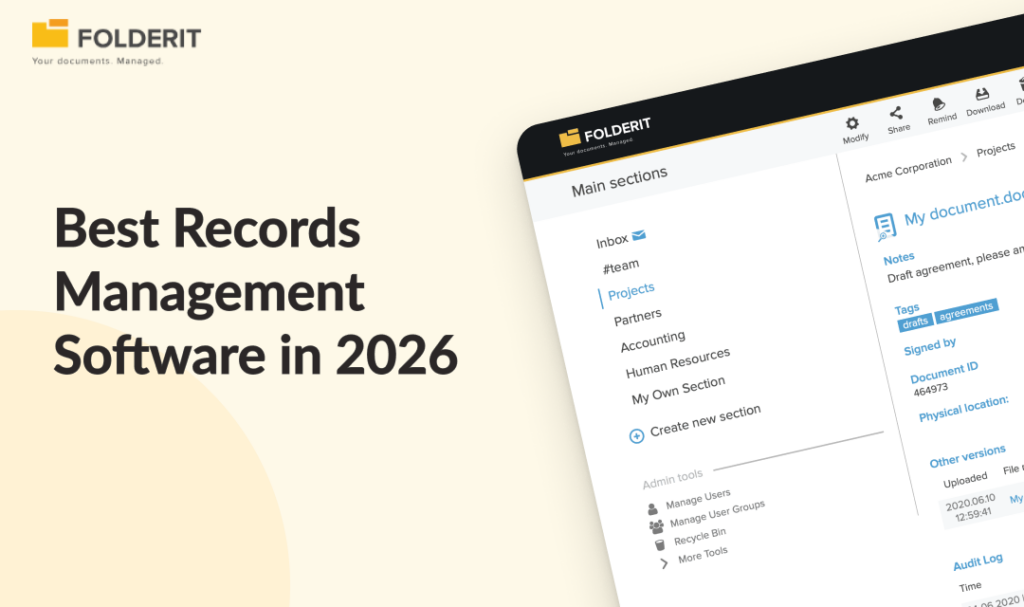
The best records management software for small and mid-sized businesses in 2026 is Folderit, which delivers compliance-ready document control, retention automation, full audit trails, and approval workflows without enterprise-grade complexity or per-user pricing. Other strong options include Laserfiche, M-Files, DocuWare, SharePoint, Hyland OnBase, Box, and OpenText, depending on your organisation’s size and regulatory requirements.
Choosing the wrong records management system costs more than the subscription fee. A missed retention deadline, an untracked approval, or a failed audit can cause real financial and reputational damage. The electronic records management market was valued at approximately $8.8 billion in 2024 and is projected to reach over $20 billion by 2035 (Market Research Future), which tells you that organisations everywhere are waking up to the gap between basic file storage and proper records governance.
This guide compares the eight best records management software options available in 2026, with honest trade-offs for each, so you can match the right platform to your organisation’s size, compliance requirements, and budget.
What Is Records Management Software?
Records management software is a digital system that controls the full lifecycle of business records, from creation and classification through to retention, archival, and secure disposal. It gives organisations a structured way to store, retrieve, and govern both digital and physical records, with enforced retention schedules, access controls, and audit trails that make compliance provable rather than aspirational.
The distinction between file storage and records management matters because records carry legal and regulatory weight that ordinary documents do not. A record is a document that serves as evidence that something existed, was approved, or occurred at a specific point in time. Not every document is a record, but every record needs to be managed with that evidentiary purpose in mind: versioned, access-controlled, retained for the required period, and disposed of according to policy.
If your team is still using shared drives and email to manage controlled documents, you are not managing records. You are storing files and hoping for the best.
Quick Comparison: Records Management Software at a Glance
| Platform | Best For | Starting Price | Compliance Out of Box | Deployment Speed |
| Folderit | SMBs, regulated industries | $55/month (5 users) | Yes | Days |
| Laserfiche | Government, enterprise | $50/user/month | Partial | Weeks to months |
| M-Files | Cross-system governance | ~$39/user/month | Partial | Weeks |
| DocuWare | Finance workflow automation | ~$25/user/month | Partial | Weeks |
| SharePoint | Microsoft 365 organisations | $7/user/month (M365) | With configuration | Weeks (with IT) |
| Hyland OnBase | Large enterprise | Quoted on request | Yes (at scale) | 6+ months |
| Box | Enterprise cloud collab | $5/user/month | Enterprise tier only | Days (basic) |
| OpenText | SAP-integrated enterprise | Quoted on request | Yes (at scale) | 6–12+ months |
The 8 Best Records Management Software Options in 2026
1. Folderit: Best for Compliance-Ready SMBs That Need Fast Deployment
Why we picked it: Folderit is purpose-built for organisations that need ISO-grade document control, retention automation, and audit-ready records management without the implementation overhead of enterprise ECM platforms. It is the only platform on this list that prices per plan rather than per user, making total cost predictable as headcount grows.
Best for: Businesses with 10-500 employees in regulated industries including manufacturing, professional services, healthcare, legal, and financial services.
Key records management features:
- Retention policy automation with scheduled archiving and disposal
- Full audit trail logging every upload, edit, approval, share, and download with timestamps
- Approval and acknowledgement workflows with built-in evidence capture
- Automated document numbering aligned to ISO document control requirements
- Version history with full change tracking and rollback
- OCR full-text search across all stored documents, including scanned files
- Role-based access control with granular permission levels (preview-only, upload-only, editor, custom)
- 256-bit AES encryption, 2FA, SSO (Entra ID, Okta, Google), IP restrictions, and triple-redundant backups as standard
- Deployment options: multi-tenant cloud (AWS, EU data residency), single-tenant cloud, and on-premises
Compliance support: ISO 9001, ISO 27001, GDPR, HIPAA, Cyber Essentials, 21 CFR Part 11
Pricing: Per-plan pricing starting at $55/month (Mini: 5 users, 150 GB). Medium plan is $97/month (10 users, 500 GB). Tailor plan starts at $129/month with scalable users and storage. No per-user fees, no implementation consultants required.
2. Laserfiche: Best for Government and Regulated Enterprise Teams
Why we picked it: Laserfiche is an enterprise content management platform with deep records management capabilities, including file plans, retention schedules, workflow automation, and audit trails. It has particularly strong adoption in government and public sector organisations where structured records lifecycle management is a regulatory requirement.
Best for: Government bodies, public sector organisations, and large regulated enterprises that need records lifecycle management at scale.
Key records management features:
- Records management with file plans and retention schedules
- Low-code/no-code workflow builder with pre-built process templates
- Electronic forms, OCR capture, and content analytics
- Strong compliance support for HIPAA, ISO, and complex multi-step workflows
- Cloud, self-hosted, and hybrid deployment options
Pricing: Laserfiche Cloud starts at $50 per user per month (Starter tier), with Professional and Business tiers priced higher. The Business tier requires a minimum of 500 users. Implementation costs for smaller organisations typically run $5,000–$10,000 depending on complexity.
Trade-offs: Laserfiche’s per-user pricing and minimum user requirements make it expensive for SMBs, and the platform requires IT resource to configure and maintain. Organisations that lack a dedicated IT team or need to be live in days rather than months often find the implementation overhead disproportionate to the document control problem they are solving. For a more detailed comparison, see Laserfiche alternatives.
3. M-Files: Best for Metadata-Driven Document Governance
Why we picked it: M-Files takes a metadata-first approach to document management, organising content by what it is rather than where it is stored. This makes it particularly strong for organisations with complex cross-departmental document relationships where traditional folder structures break down.
Best for: Mid-sized to large organisations that need to connect documents across multiple business systems and want AI-assisted classification.
Key records management features:
- Metadata-driven classification and retrieval (documents organised by type, project, or status rather than folder location)
- Workflow management with approval routing and version control
- AI-assisted document classification and tagging via M-Files Aino (Business tier only)
- Integration with Microsoft 365, Teams, Outlook, and SharePoint
- Cloud, on-premises, and hybrid deployment options
Pricing: M-Files does not publish pricing. Third-party estimates place it at approximately $39–$59 per user per month depending on tier and volume, billed annually. Implementation costs range from $1,000–$5,000 for SMBs and $10,000–$50,000 for larger enterprises. For a detailed comparison, see M-Files alternatives.
Trade-offs: The metadata-first model is powerful but requires upfront configuration and user training to get the classification structure right. For teams without a dedicated document controller, this overhead can slow adoption. The AI features (M-Files Aino) are restricted to the top-tier Business subscription, and per-user pricing makes total cost less predictable than plan-based alternatives as headcount grows.
4. DocuWare: Best for Finance-Heavy Approval Workflows
Why we picked it: DocuWare is a solid mid-market document management system with strong workflow automation capabilities, particularly for finance-heavy processes like invoice routing, purchase order approvals, and expense management. Its intelligent indexing feature automates data extraction from scanned documents, which reduces manual data entry in high-volume environments.
Best for: Mid-market finance and operations teams running high-volume invoice and purchase order workflows.
Key records management features:
- Document capture with intelligent indexing and automated data extraction
- Workflow automation with metadata tagging and escalation rules for overdue approvals
- Invoice-to-purchase-order matching with automated routing
- Audit trails, retention policies, and role-based access control
- Cloud and on-premises deployment
Pricing: DocuWare does not publish USD pricing. Third-party estimates range from $25 to $100 per user per month for the cloud system, depending on tier and user count. Implementation costs for SMBs typically run $3,000–$10,000 depending on complexity. For a detailed comparison, see DocuWare alternatives.
Trade-offs: DocuWare’s pricing is opaque and partner-dependent, which makes budgeting difficult before you engage with a reseller. The platform requires more configuration than turnkey alternatives to get compliance features working out of the box, and its ISO document control capabilities are less complete as standard compared to purpose-built DMS platforms. EU data residency options require additional configuration rather than being available as a default.
5. Microsoft SharePoint: Best for Microsoft 365-Embedded Organisations
Why we picked it: SharePoint is deeply integrated with the Microsoft 365 ecosystem, offering document libraries, version control, metadata tagging, and retention policies through Microsoft Purview. For organisations that are already paying for Microsoft 365 licences, it represents the lowest incremental cost option on this list.
Best for: Organisations already embedded in the Microsoft 365 ecosystem that have IT resource available to configure document management capabilities.
Key records management features:
- Document libraries with version control and metadata tagging
- Retention labels and policies via Microsoft Purview
- Integration with Teams, OneDrive, Outlook, and the full Office suite
- Compliance support for HIPAA, GDPR, and ISO through Microsoft Purview (higher-tier licences required)
- Cloud-hosted with on-premises options via SharePoint Server
Pricing: Included in Microsoft 365 Business plans starting at $7 per user per month (Business Basic, as of July 2026). Advanced compliance and records management features through Microsoft Purview require higher-tier licences (Business Premium at $22/user/month, or E3/E5 enterprise plans). For a detailed comparison, see SharePoint alternatives.
Trade-offs: SharePoint requires significant customisation and IT involvement to function as a true records management system. Approval workflows, acknowledgement tracking, retention automation, and audit-ready reporting all need configuration or third-party add-ons rather than being available out of the box. The compliance features that make SharePoint relevant for records management are locked behind higher-tier licences, and the total cost of configuration, training, and ongoing administration is often underestimated by organisations that view SharePoint as “free” because they already have Microsoft 365.
6. Hyland OnBase: Best for Large Enterprise Content Management
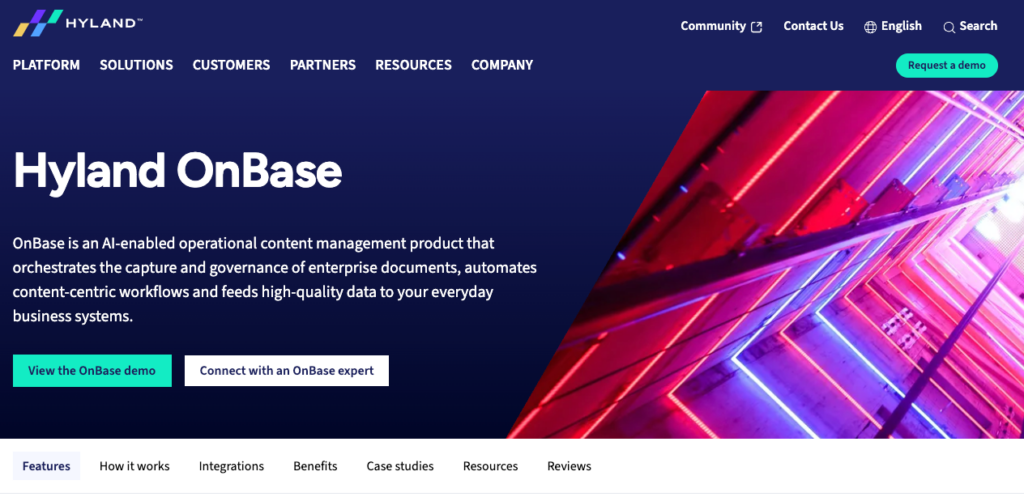
Why we picked it: Hyland OnBase is an enterprise-scale content services platform that combines document management, records management, workflow automation, and case management in a single system. It is designed for organisations with high document volumes, complex process automation requirements, and dedicated IT teams to manage the infrastructure.
Best for: Large enterprises with high document volumes, complex process automation requirements, and dedicated IT teams.
Key records management features:
- Enterprise-scale records capture, storage, and disposition management
- Advanced workflow automation and case management
- Integration with ERP, CRM, and line-of-business systems
- Strong compliance support for regulated industries including healthcare, financial services, and government
Pricing: Enterprise pricing, typically quoted on request. Implementation timelines and costs are significant, with projects commonly running six months or longer.
Trade-offs: Hyland OnBase is not built for SMBs. The platform requires dedicated IT resource to implement and administer, and the total cost of ownership, including licensing, implementation, and ongoing maintenance, is disproportionate for organisations under 500 employees. For businesses evaluating records management for the first time, the implementation timeline alone is a barrier.
7. Box (with Box Governance): Best for Enterprise Cloud Collaboration with Compliance Add-Ons
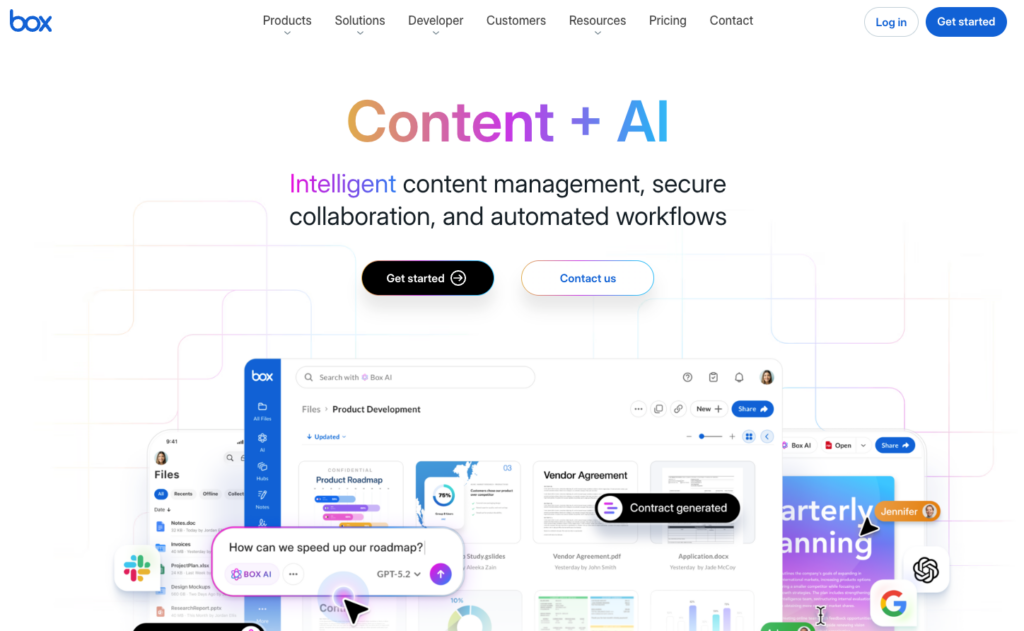
Why we picked it: Box is a cloud content management and collaboration platform with strong file sharing, security controls, and integration capabilities. Its records management features, including retention policies, legal holds, and advanced audit logging, are available in the higher-tier Enterprise plans rather than as part of the base collaboration product.
Best for: Large enterprises that already use Box for cloud collaboration and need governance capabilities layered on top.
Key records management features:
- Audit logs, metadata tagging, and version history
- Retention policies and legal holds (Enterprise and Enterprise Plus tiers)
- Workflow automation templates
- Strong file sharing and security controls with granular permissions
- Cloud-native with extensive third-party integrations
Pricing: Business Starter at $5 per user per month, Business at $15, and Business Plus at $25 (all billed annually, minimum 3 users). Enterprise starts at $35 per user per month with custom pricing for Enterprise Plus. The retention and governance features relevant to records management are only available at Enterprise tier and above. For a detailed comparison, see Box alternatives.
Trade-offs: The governance features that make Box relevant for records management are not included in the Business plans that most SMBs would consider. To get retention policies, legal holds, and advanced compliance controls, organisations need to commit to Enterprise pricing at $35+ per user per month, which puts the total cost well above purpose-built records management platforms. For SMBs that need retention automation and approval workflows as standard, Box requires a significant spend to reach feature parity.
8. OpenText: Best for SAP-Integrated Enterprise Records Management
Why we picked it: OpenText is one of the largest enterprise information management platforms globally, offering document management, records governance, and content lifecycle management at scale. Its deep integration with SAP, Salesforce, and Microsoft 365 makes it the default choice for large enterprises with complex ERP ecosystems that need records management embedded within their existing system landscape.
Best for: Large enterprises with SAP or Salesforce at the core of their operations, dedicated IT and records management teams, and complex regulatory requirements.
Key records management features:
- Enterprise-scale content repositories with governance and retention management
- Deep SAP, Salesforce, and Microsoft 365 integration
- AI-assisted classification and metadata extraction
- Compliance support for highly regulated industries at scale
- Cloud, on-premises, and hybrid deployment options
Pricing: Enterprise pricing, quoted on request. Implementation projects typically run 6–12 months or longer depending on complexity and the number of system integrations involved.
Trade-offs: OpenText is built for organisations with thousands of employees, complex system landscapes, and dedicated IT and records management teams. For any business under 500 employees, the implementation cost, timeline, and ongoing administration overhead make it an impractical choice. The platform solves problems at a scale that most SMBs do not have.
How We Evaluated the Best Records Management Software
Every platform on this list was evaluated against the criteria that matter most for compliance-conscious SMBs:
- Retention policy automation: scheduled archiving and disposal without manual intervention
- Audit trail completeness: every action logged with user, timestamp, and document version
- Approval and acknowledgement workflows: structured and evidence-generating, not email-based
- Access control granularity: role-based permissions, not just folder-level sharing
- Deployment speed and IT dependency: days to go live, not months
- Total cost of ownership: predictable pricing for growing teams
- Compliance framework support: ISO 9001, ISO 27001, GDPR, HIPAA
What Does Records Management Software Actually Need to Do?
A records management system is only as good as the controls it enforces automatically. Here are the non-negotiable capabilities to evaluate before choosing a platform.
Retention policy automation. The system should apply retention schedules automatically, flagging records for review or triggering disposal without manual intervention. This includes classification of record types, enforcement of retention periods, and managed disposition at the end of the lifecycle. Without automation, retention compliance depends on someone remembering to check a spreadsheet, which is how deadlines get missed and audit findings accumulate.
Complete audit trails. Every action on a record, including uploads, edits, approvals, shares, and downloads, should be logged with a timestamp and user identity. This is the evidence layer that makes audits provable rather than stressful. For more on how audit trails support compliance, see how document management systems facilitate audit preparation.
Approval and acknowledgement workflows. Records that require sign-off or staff acknowledgement should move through a structured, evidence-generating workflow, not an email chain with no audit trail. The system should capture who approved what, when, and under which version of the document.
Access control. Sensitive records should be accessible only to authorised roles. Granular permission levels (view-only, upload-only, full edit) prevent accidental or unauthorised changes and create a defensible access governance model for auditors.
Version control. Every version of a record should be stored, with clear identification of the current approved version and a complete history of prior versions. Audit trails, version histories, and access controls work together to make compliance demonstrable: every change is logged, approvals are recorded, and retention policies are enforced consistently.
Search and retrieval. Users need to locate records quickly by metadata, file name, or the textual content of the document itself. Full-text search including OCR across scanned files is the baseline; without it, retrieval depends on whoever named the file remembering what they called it.
Why Do SMBs Struggle with Records Management?
Most small and mid-sized businesses start with shared drives and email. These tools are familiar, cheap, and immediately available, and for the first few years they work well enough that nobody questions them. The problem is that they provide no document lifecycle control whatsoever.
The transition from paper-based records to digital storage solved the physical constraints of filing cabinets, space requirements, and the risk of damage or loss, but it did not solve the governance problem. A shared drive with no version control, no retention rules, and no approval workflows is a digital filing cabinet, not a records management system. Documents accumulate without structure, naming conventions drift across teams, and there is no systematic way to know which version of a policy or contract is current, who approved it, or when it should be disposed of.
The compliance risk this creates is real and measurable. If an employee is injured and the resulting investigation requires evidence that safety procedures were in place, an organisation without controlled records has no reliable way to demonstrate that the right documents existed, were approved, and were distributed to the right people at the right time. The same exposure applies to ISO audits, GDPR subject access requests, financial audits, and contract disputes. The cost of not having a records management system only becomes visible when something goes wrong.
The right electronic records management software removes that risk by making governance automatic rather than manual. For organisations in financial services, the essential document management features for financial services guide covers the specific controls that matter most in that sector.
Is Folderit the Right Records Management System for Your Business?
Folderit is the right fit if your organisation meets most of these criteria:
- 10–500 employees in a regulated or compliance-sensitive industry
- You need ISO 9001, ISO 27001, GDPR, or HIPAA compliance support without a custom configuration project
- Your team manages controlled documents: policies, procedures, contracts, HR records, financial documents
- You want approval workflows, retention automation, and audit trails built in, not bolted on
- You need to be live in days, not months, without engaging implementation consultants
- You want predictable pricing that does not scale with headcount
- EU data residency or on-premises deployment is a requirement
Folderit is available as cloud (hosted on AWS with EU data residency), single-tenant cloud, and on-premises. All security features, including 256-bit AES encryption, 2FA, SSO, IP restrictions, and triple-redundant backups, are included as standard across all plans.
If you manage HR documentation specifically, the HR document management page covers how Folderit handles employee records, policy acknowledgements, and retention rules. For accountants and finance teams, the best document management software for accountants guide covers the specific workflows that matter for financial document control.
FAQs: Records Management Software
What is records management software, and how does it differ from document management?
Records management software controls the full lifecycle of business records from creation through to secure disposal, including retention schedules, audit trails, and compliance evidence. Document management is a broader category covering storage, retrieval, and collaboration. The key distinction is that records carry legal and evidentiary weight, which means they require lifecycle governance that ordinary documents do not.
What features should I look for in electronic records management software?
The core requirements are automated retention policies, complete audit trails, approval and acknowledgement workflows, role-based access control, version history, and full-text search including OCR. Compliance support for your specific regulatory framework should be built in as standard rather than dependent on custom configuration or third-party add-ons.
What is the best records management software for small businesses?
Folderit is the strongest option for small businesses that need compliance-ready records management without enterprise complexity or per-user pricing. It deploys in days, requires no IT team to administer, and prices per plan starting at $55/month for 5 users. For organisations that need document control governance without enterprise ECM overhead, Folderit delivers faster time to value at a fraction of the total cost.