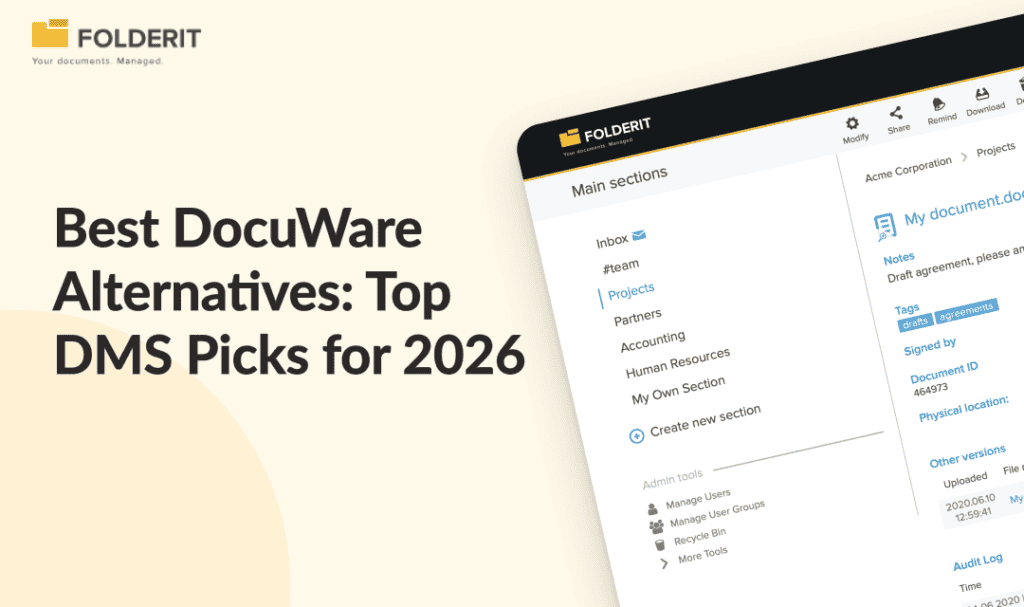
DocuWare is a capable document management system, but its opaque pricing, complex setup, and partner-dependent implementation make it a poor fit for SMEs that need compliance-ready document control without a lengthy IT project. The best overall DocuWare alternative for 2026 is Folderit; whilst Laserfiche, M-Files, SharePoint (with caveats), and Alfresco can also be suitable depending on your team size, budget, and compliance requirements.
DocuWare has a loyal user base, and for good reason. Since its founding in 1988, it has evolved into one of the most popular document management systems, offering document capture, full-text search, version control, and audit trails. But “popular” and “right for your business” are not the same thing. The initial setup can be complex without dedicated IT support, and companies without internal resources may need to invest in professional services or additional training to fully use the platform. Pricing is not transparent and requires a quote, and advanced configuration often requires partner involvement.
If you are evaluating your options, this guide covers the five strongest DocuWare alternatives, what each one does well, where each falls short, and which type of organisation each suits best.
Why Do Businesses Look for DocuWare Competitors?
DocuWare is a solid platform with real strengths. Users tend to choose it for workflow capabilities that handle invoice approvals, employee onboarding, contract management, and compliance tracking. So why are so many businesses searching for alternatives?
Three recurring issues come up in user feedback:
- Cost unpredictability. DocuWare pricing starts at $585 per month for five users, with implementation costs for small to mid-sized businesses ranging from $3,000 to $10,000 depending on complexity. User reviews from Capterra note that “the cost of licensing is high and integration with other platforms increases the cost of the solutions.”
- Setup complexity. G2 reviews show Users face a complex learning curve with DocuWare’s customisation and workflow setup, and the customisation process often requires excessive scripting. Complex setup requires significant IT effort before full functionality is achieved.
- Partner dependency. If your DocuWare solution was configured by one of their Authorised Partners, the partner is often better placed to support you, since they know your specific situation and requirements, meaning your ongoing support is tied to a third party, not the vendor directly.
For businesses that want document control, approval workflows, and audit-ready compliance without a multi-month implementation project, there are better-matched options.
Quick List:
Folderit — Best Overall and for Ease of Use
Laserfiche — Best for Organisations That Need Low-Code Workflow Automation
M-Files — Best for Metadata-Driven Document Organisation
Microsoft SharePoint — Best for Organisations Already Deep in the Microsoft 365 Ecosystem
Alfresco — Best for Enterprises That Need an Open, Developer-Extensible Platform
1. Folderit: Best Overall & Ease of Use

Why we picked it: Folderit is the most direct alternative to DocuWare for small and mid-sized businesses that need ISO-grade document control, approval workflows, and a full audit trail, but cannot justify the cost or implementation overhead of a partner-led deployment.
Best for: Businesses with 10-500 employees in regulated industries (manufacturing, professional services, healthcare, legal, finance) that need compliance-ready document management without an IT team to run it.
Deployment: Cloud (EU-hosted on AWS), single-tenant cloud, or on-premises.
Folderit is a secure, user-friendly document management system that covers the full document lifecycle: controlled storage, approval workflows, electronic signatures, acknowledgement tracking, retention automation, and complete audit trails. Every one of these features is built in, not sold as a separate module.
Where DocuWare requires partner involvement for configuration, Folderit is designed to be administered by business users in Quality, HR, Legal, or Operations. No IT department required. Deployment takes days to weeks, not months.
Key compliance features:
- Approval and acknowledgement workflows with timestamped evidence
- Full audit trails at folder and document level capturing every action: upload, edit, approval, download, sharing
- Automated document numbering and version history with check-in/check-out control
- Retention automation and document expiration reminders
- OCR full-text search across all stored files, including scanned documents
- 256-bit AES encryption, SSO (Entra ID, Okta, Google), 2FA, IP restrictions, and triple-redundant backups
Pricing: Per-plan, not per-user. Total cost is predictable from day one, and significantly lower than DocuWare equivalents at comparable team sizes.
Compliance standards supported: ISO 9001, ISO 27001, GDPR, HIPAA, Cyber Essentials, and 21 CFR Part 11.
Where Folderit wins vs DocuWare: Speed to value, total cost of ownership, no partner dependency, and EU data residency as standard. Named the most user-friendly DMS in the world by Gartner’s Capterra based on task-completion time benchmarking.
Where to look elsewhere: If your organisation needs AI-powered batch document classification at very high volumes, or deep ERP integration with SAP out of the box, DocuWare’s Intelligent Document Processing may offer more at the enterprise end.
2. Laserfiche: Best for Organisations That Need Low-Code Workflow Automation

Why we picked it: Laserfiche is a strong DocuWare competitor for mid-market and enterprise teams that need sophisticated process automation built on a flexible, no-code workflow engine.
Best for: Organisations in government, financial services, or higher education that run complex, multi-step approval processes and want a marketplace of pre-built workflow templates.
Laserfiche offers intelligent document capture, metadata indexing, electronic forms, records management, workflow automation, and secure file storage, and is available as both cloud and on-premises deployment. Compared to DocuWare, Laserfiche stands out for its low-code/no-code process automation tools, which allow users to build complex workflows without deep IT expertise.
Key features:
- Low-code/no-code workflow designer
- Pre-built solution templates via the Laserfiche Marketplace
- Granular permission settings and audit trails
- Compliance support for HIPAA, FERPA, and FINRA
Pricing: Three plans billed annually: Starter ($50/user/month), Professional ($69/user/month), and Business ($79/user/month). Per-user pricing means costs scale with headcount.
Where Laserfiche wins vs DocuWare: It offers a more transparent pricing model to avoid hidden costs often associated with modular systems like DocuWare.
Where to look elsewhere: Laserfiche is built for larger organisations and carries a corresponding price tag. For SMEs under 100 employees, per-user pricing adds up quickly. It also requires more implementation effort than Folderit.
3. M-Files: Best for Metadata-Driven Document Organisation

Why we picked it: M-Files takes a fundamentally different approach to document storage. Rather than organising files into folders, it uses metadata to classify and retrieve documents dynamically. This suits organisations where the same document needs to be found by multiple different attributes (project, client, document type, status).
Best for: Professional services firms, law firms, and engineering businesses managing large volumes of documents that span multiple projects and clients simultaneously.
M-Files replaces the traditional folder hierarchy with a metadata-driven model, so a contract can appear under a client view, a project view, and a document-type view simultaneously, without being duplicated.
Key features:
- Metadata-driven document organisation and dynamic views
- Version control and check-in/check-out
- Workflow automation and approval routing
- Cloud, on-premises, and hybrid deployment
Pricing: M-Files starts at $30 per user per month for their online offering, making it more affordable than DocuWare at comparable user counts.
Where M-Files wins vs DocuWare: The metadata-first model is genuinely powerful for organisations with complex cross-functional document relationships. It is also more cost-effective at the per-user level.
Where to look elsewhere: The metadata-only model has a learning curve for teams used to traditional folder structures. M-Files also requires IT involvement for configuration, and its compliance features are less pre-configured than Folderit’s out-of-the-box approach.
4. Microsoft SharePoint: Best for Organisations Already Deep in the Microsoft 365 Ecosystem

Why we picked it: SharePoint is the default choice for organisations that already pay for Microsoft 365 and want to avoid adding another vendor. For basic document storage and collaboration, it works well.
Best for: Organisations with a dedicated IT team, an existing Microsoft 365 subscription, and the internal resource to configure and maintain SharePoint as a document management environment.
If your business already uses a lot of Microsoft products, SharePoint is an obvious DocuWare alternative. It integrates with all other Microsoft programs, which makes storing, sharing, and accessing Word, Excel, and PowerPoint files secure and easy.
Key features:
- Deep Microsoft 365 integration (Word, Excel, PowerPoint, Teams, Outlook)
- Version history and basic access control
- Included in most Microsoft 365 Business and Enterprise plans
Where SharePoint wins vs DocuWare: Cost. If you already pay for Microsoft 365, SharePoint adds no incremental licence cost.
Where to look elsewhere: SharePoint is file storage, not document management. It has no native approval workflows, no acknowledgement tracking, no retention automation, and no audit-ready reporting without significant custom configuration or third-party add-ons. For any organisation with ISO, GDPR, or HIPAA requirements, SharePoint alone is not a compliant document control system. It also requires IT resources to build and maintain the configuration. Folderit integrates with Microsoft 365 and provides the document control layer that SharePoint lacks, without rebuilding SharePoint from scratch.
5. Alfresco: Best for Enterprises That Need an Open, Developer-Extensible Platform

Why we picked it: Alfresco is the right choice for large organisations that need to build bespoke document management solutions deeply integrated into their core applications, and have the developer resource to do it.
Best for: Large enterprises in regulated industries (financial services, public sector, pharmaceuticals) with complex, custom document management requirements and dedicated development teams.
Unlike many out-of-the-box solutions, Alfresco’s strength is its extensibility. Its open APIs and flexible deployment models (cloud, on-premises, or hybrid) make it a strong choice for enterprises that want to build bespoke solutions or integrate document management deeply into their core applications.
Key features:
- Open-source foundation with extensive API access
- Cloud, on-premises, and hybrid deployment
- Business Process Management engine for complex workflow automation
- Supports integration with 60+ third-party applications
Pricing: Alfresco’s pricing is customised based on specific deployment needs and scale, so it is quote-based and not publicly listed.
Where Alfresco wins vs DocuWare: For organisations that need developer-level customisation and open standards, Alfresco offers more flexibility than DocuWare’s more structured, partner-configured model.
Where to look elsewhere: Alfresco is not an SME tool. It is designed for medium to large enterprises looking for a platform to build upon. For businesses under 500 employees without dedicated development resources, the implementation cost and complexity will outweigh the benefits. Folderit delivers compliance-ready document control at a fraction of the cost and time.
How We Chose These DocuWare Alternatives
Every platform on this list was evaluated against the criteria that matter most to compliance-conscious SMEs:
- Compliance readiness out of the box: Does it support ISO 9001, ISO 27001, GDPR, or HIPAA without custom configuration?
- Audit trail completeness: Does it log every action on every document with timestamps?
- Approval and acknowledgement workflows: Are these built in, or do they require add-ons?
- Ease of deployment: Can a business team deploy and administer it, or does it require IT or a partner?
- Pricing transparency: Is the cost predictable, or does it require a custom quote and partner negotiation?
- Data sovereignty: Where is data hosted, and can EU residency be guaranteed?
- Total cost of ownership: What does the full picture look like over 12-24 months, including implementation, training, and support?
DocuWare scores well on features but struggles on pricing transparency, setup complexity, and partner dependency. The alternatives above each address one or more of those gaps in different ways.
What Is the Best Document Management System Besides DocuWare?
The best document management alternative to DocuWare for SMEs is Folderit. It delivers approval workflows, full audit trails, acknowledgement tracking, retention automation, and version control out of the box, with no implementation partner required. Pricing is per-plan rather than per-user, making costs predictable as teams grow. EU data residency is standard, and the system supports ISO 9001, ISO 27001, GDPR, and HIPAA requirements without custom configuration.