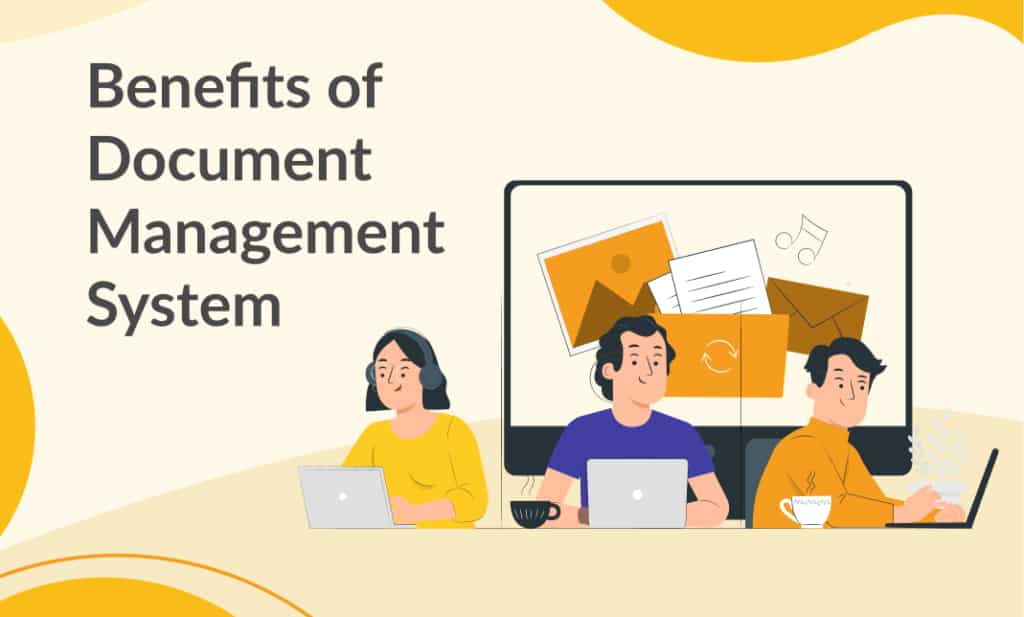
A document management system (DMS) is software that stores, organizes, and controls business documents in a single secure repository, with version history, access permissions, and a full audit trail for every action. It replaces scattered files across email, shared drives, and local folders with one governed source of truth.
The practical benefits go well beyond storage. A DMS automates approval workflows, enforces retention policies, speeds up document retrieval through OCR and metadata search, and produces the compliance evidence that auditors and regulators require. Below are the specific benefits and why they matter.
Key Benefits of Document Management System Software
Better Storage Capacity

Physical filing cabinets and network shared drives both create the same underlying problem: documents end up duplicated across multiple locations with no reliable way to identify which copy is current. A DMS centralizes every document in a single, structured repository with enforced folder hierarchies, consistent naming conventions, and custom metadata fields. Cloud-hosted storage scales with the business without additional on-site infrastructure, and scanned paper documents become fully searchable through OCR, so legacy archives are not just stored but actually usable. The result is one place for everything, with the structure to keep it organized as document volumes grow.
Easy Retrieval of Documents

Searching for a document by browsing through nested folder structures or guessing at filenames is one of the largest hidden time costs in any business. A DMS eliminates this with full-text OCR search across all stored documents, including scanned files and images, combined with custom metadata fields and tags that let teams filter by project, department, document type, date range, or any other category that matters to the organization.
In practice, this changes how quickly teams can work. A Finance team member during month-end close searching for a specific purchase order from four months ago can retrieve it in seconds by searching for the vendor name or PO number, rather than browsing through folders hoping the file was saved in the right place. Folderit’s metadata fields and full-text OCR let teams search by content, not just filename, so retrieval takes seconds even across large document libraries.
Reduced Cost

The cost savings from a DMS extend well beyond paper and printing. The largest line items are the labor hours lost to searching for documents, chasing approvals via email, recreating files that were lost or overwritten, and manually compiling evidence for audits. A DMS collapses all of these into system functions that run in the background.
Add the reduction in physical storage space, printing consumables, and the risk-adjusted cost of compliance failures, and the total cost of ownership case becomes straightforward. This is particularly relevant for SMEs, where every hour of administrative overhead has a proportionally higher impact on the team. Modern DMS platforms offer predictable pricing per plan rather than per-user licensing, and they deploy without the implementation consultants that enterprise ECM platforms require, keeping both upfront and ongoing operating costs significantly lower.
Easy Workability

With document management system, you can easily multitask when you have lots of work to do. Especially when you treat so many mails in a day with documents in the mails. Instead of downloading the documents in the mails one after the other, some systems are likely to limit that. There are some management systems that allows you to open documents in a mail without downloading and make chances as well as save the document in the system. Such document can easily be recalled at anytime.
Enhanced Security

File storage tools like shared drives and basic cloud folders lack the access granularity that regulated businesses need. A DMS enforces role-based access control (RBAC) at the folder, document, and action level, controlling who can view, edit, download, or share specific files. Combined with 256-bit AES encryption at rest, SSL/TLS in transit, two-factor authentication, SSO integration (Entra ID, Okta, Google), and IP restrictions, this creates a security posture that satisfies both internal governance requirements and external audit expectations.
Consider an HR department storing employee records alongside company-wide policies. With role-based permissions, salary data is visible only to HR and the Finance Director, while policies remain accessible to all staff. The same system, different access levels, no need for shadow IT workarounds like password-protected spreadsheets on someone’s desktop. Folderit secures documents with 256-bit AES encryption, SSL/TLS, two-factor authentication, and SSO through Entra ID, Okta, or Google, with a complete audit trail logging every access, edit, and share action. Learn more about Folderit’s security features.
Collaboration and Controlled Sharing

Effective collaboration on documents requires more than just the ability to share a link. A DMS lets multiple users work with the same document set without creating duplicate versions, emailing attachments back and forth, or losing track of the latest edit. Permission granularity means different team members can have different levels of access to the same folder: preview-only for external reviewers, edit access for the project team, and upload-only for contractors submitting deliverables.
For distributed teams working across offices and remote locations, this is the difference between controlled collaboration and version chaos. Integration with Microsoft 365 allows in-app editing of Word, Excel, and PowerPoint files directly within the DMS, so documents stay in the repository rather than being downloaded, edited locally, and re-uploaded with a slightly different filename.
Remote Access and Device Independence

A cloud-based DMS provides access to documents from any device with an internet connection, but the real benefit is that document control travels with the user. Permissions, version governance, and audit logging apply whether someone is in the office, working from home, or on a client site. A web interface requires no software installation, and mobile-optimized access means on-site workers in construction, manufacturing, or field services can retrieve procedures and submit documents without returning to a desk.
If a device is lost, stolen, or damaged, documents remain safe in the repository. There is no data on the local machine to lose, and access can be revoked immediately through centralized administration. For businesses that need offline capability, desktop sync apps provide local access with automatic synchronization when connectivity is restored, and a disaster recovery plan backed by redundant cloud backups ensures business continuity even in worst-case scenarios.
Compliance Readiness and Audit Evidence
For businesses operating under ISO 9001, ISO 27001, GDPR, or HIPAA, compliance is not a one-off project but an ongoing obligation to prove that document controls are in place and functioning. A DMS builds this evidence automatically. Approval workflows record every authorization with timestamps and user identity. Version history proves which document was in force at any given point. Acknowledgement tracking confirms that staff have read and understood key policies.
The difference is most visible at audit time. A Quality Manager preparing for an ISO surveillance audit can present a complete trail of approval decisions, review cycles, and policy acknowledgements, all logged with timestamps and user identity, without compiling spreadsheets or chasing email threads. The evidence exists because the system produces it as a byproduct of normal operations.
Approval Workflow Automation
Manual approval processes, whether they involve email threads, verbal sign-offs, or chasing physical signatures, produce no auditable evidence and are the most common source of bottlenecks in document-heavy operations. A DMS with built-in workflow automation routes documents through defined approval chains, sends automated reminders when a step is overdue, and logs every decision with a timestamp and the identity of the approver.
This applies across departments: policy approvals for Quality, contract reviews for Legal, invoice sign-offs for Finance, and onboarding document collection for HR. A Legal team routing a vendor contract through internal review, for example, can define a chain from Legal to Finance to the Managing Director, with each step recorded and escalation handled automatically. A visual workflow builder makes it possible to configure these routes without IT involvement.
Version Control and Single Source of Truth
The single most common failure mode in document management is someone working from the wrong version. A DMS maintains a complete version history with check-in and check-out controls, so every team member accesses the current approved version and can trace any document back through its earlier states. Superseded versions are archived automatically, not deleted, preserving the full audit trail that document control requires.
Consider a Document Controller distributing a revised standard operating procedure across three sites. Without version control, one site may be working from version 2 while the others have moved to version 3. With a DMS, there is only one published version, and the system logs who accessed it and when, eliminating the risk of outdated procedures remaining in circulation.
Retention Policy Automation
Every industry has document retention requirements, whether for tax records, employment contracts, quality records, or financial documents, and failing to meet them creates compliance risk in both directions: keeping documents beyond their required period and disposing of them too early. A DMS automates retention schedules, flagging documents for review or disposal when their retention period expires, and logging the disposition decision to create an auditable record that the retention policy was followed.
This removes the manual tracking burden from Quality, Legal, and HR teams who would otherwise manage retention via spreadsheets or, more commonly, not manage it at all until an auditor asks.
Frequently Asked Questions
What is the main benefit of a document management system?
The main benefit is having a single, controlled source of truth for every business document, with an audit trail that records who did what and when. This eliminates version confusion, provides compliance evidence on demand, and means staff spend their time on their actual work rather than searching for, chasing, or recreating documents.
How does a document management system improve compliance?
A DMS improves compliance by building the evidence trail that auditors and regulators require as a byproduct of day-to-day operations. Approval workflows record every authorization with timestamps and user identity. Version history proves which document was in force at any given point. Retention automation ensures documents are kept for the required period and disposed of on schedule. Acknowledgement tracking confirms that staff have read and understood key policies.
Is a document management system worth it for small businesses?
Yes, and the case is often stronger for smaller businesses because they feel the impact of manual document administration more acutely. A 50-person company where the Quality Manager, Office Manager, and Finance Lead each spend several hours a week on document-related admin has proportionally more to gain than a large enterprise with dedicated document control staff. Modern DMS platforms deploy in days and offer predictable per-plan pricing rather than per-user licensing, keeping the total cost manageable for SMEs.