Document Generation Software: Create PDFs & Word Docs from Templates + Data
Folderit Document Generator helps teams create consistent PDF and DOCX documents from structured form data and reusable ODT templates—without manually copying information from emails, spreadsheets, or old documents.
Instead of writing the same contracts, applications, reports, certificates, letters, and internal records again and again, you prepare a template once. Users then fill in a structured eForm, and Folderit generates the document using the submitted values.
The generated document can be stored in Folderit, downloaded as PDF or DOCX, or emailed directly from the system to a recipient. Once stored in Folderit, it can also be managed like any other document with permissions, workflows, audit trail, sharing, retention, and version history.
Quick links
- Start a free trial: Sign up
- Learn how to use it: Document Generation tutorial
- Talk to sales: Contact Folderit
What you can automate with Folderit Document Generator
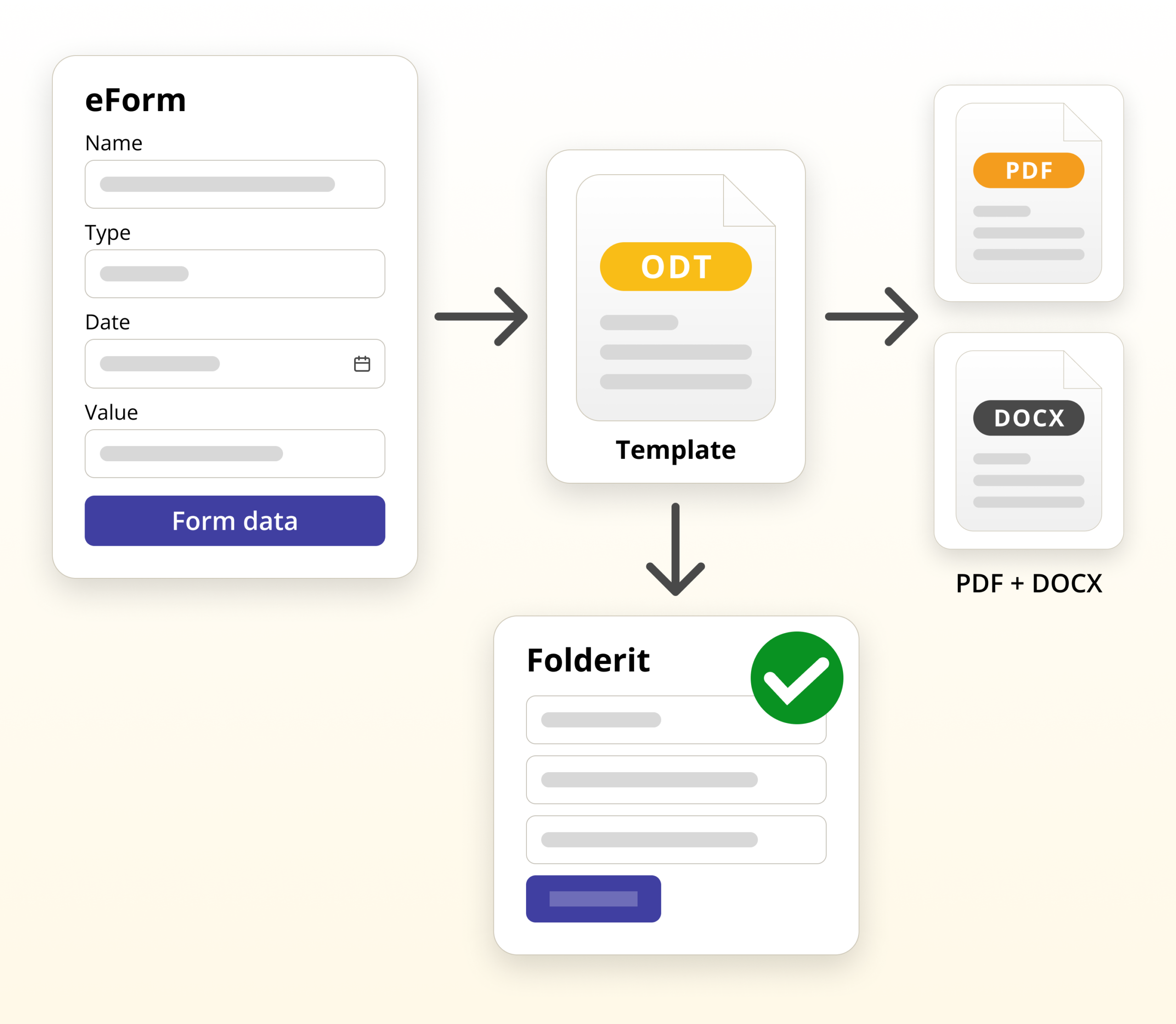
Many document automation tools sit outside your document management process. That often creates a gap: data is collected in one place, the template is stored somewhere else, approvals happen in email, and the final PDF or Word file is saved manually.
Folderit document generation software is designed to work inside the document management process. The source eForm record, generated document, access control, workflows, sharing, audit trail, and retention can all be handled in the same system.
- Create an eForm with the fields users need to complete
- Prepare an ODT template with placeholders for form values
- Connect the template to the relevant form template
- Generate a PDF or DOCX from a filled-in form record
- Choose what happens next by storing the document in Folderit, downloading it, or emailing it from the system
- Continue managing the document with Folderit permissions, workflows, audit trail, sharing, version history, and retention
If you’re new to eForms, see: Folderit eForms (KB) and the overview post: Document management forms.
How this document generation software works
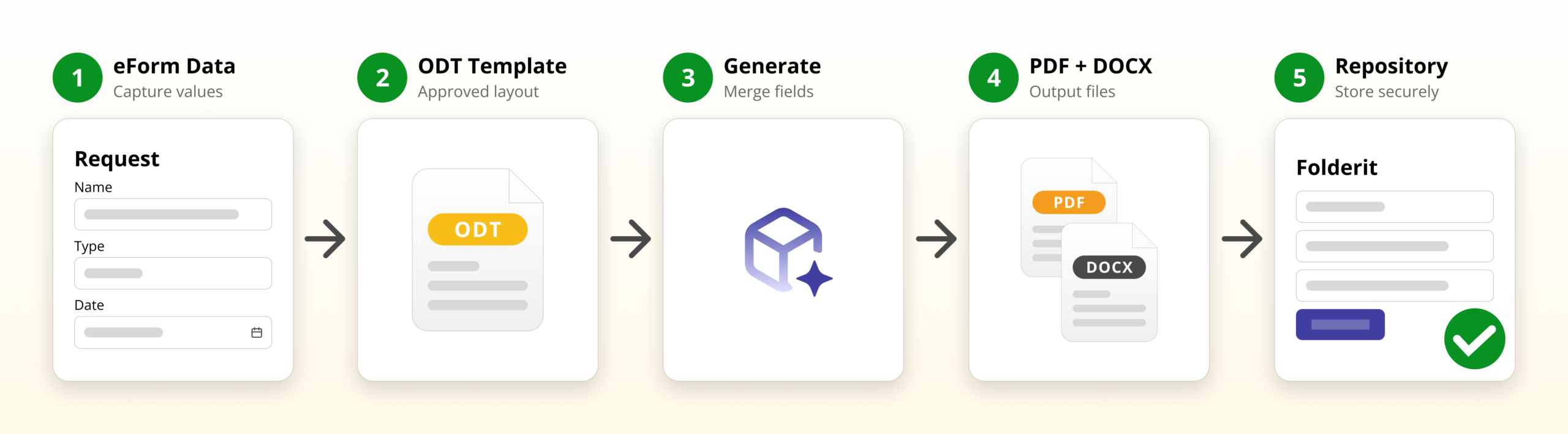
1) Create a structured eForm
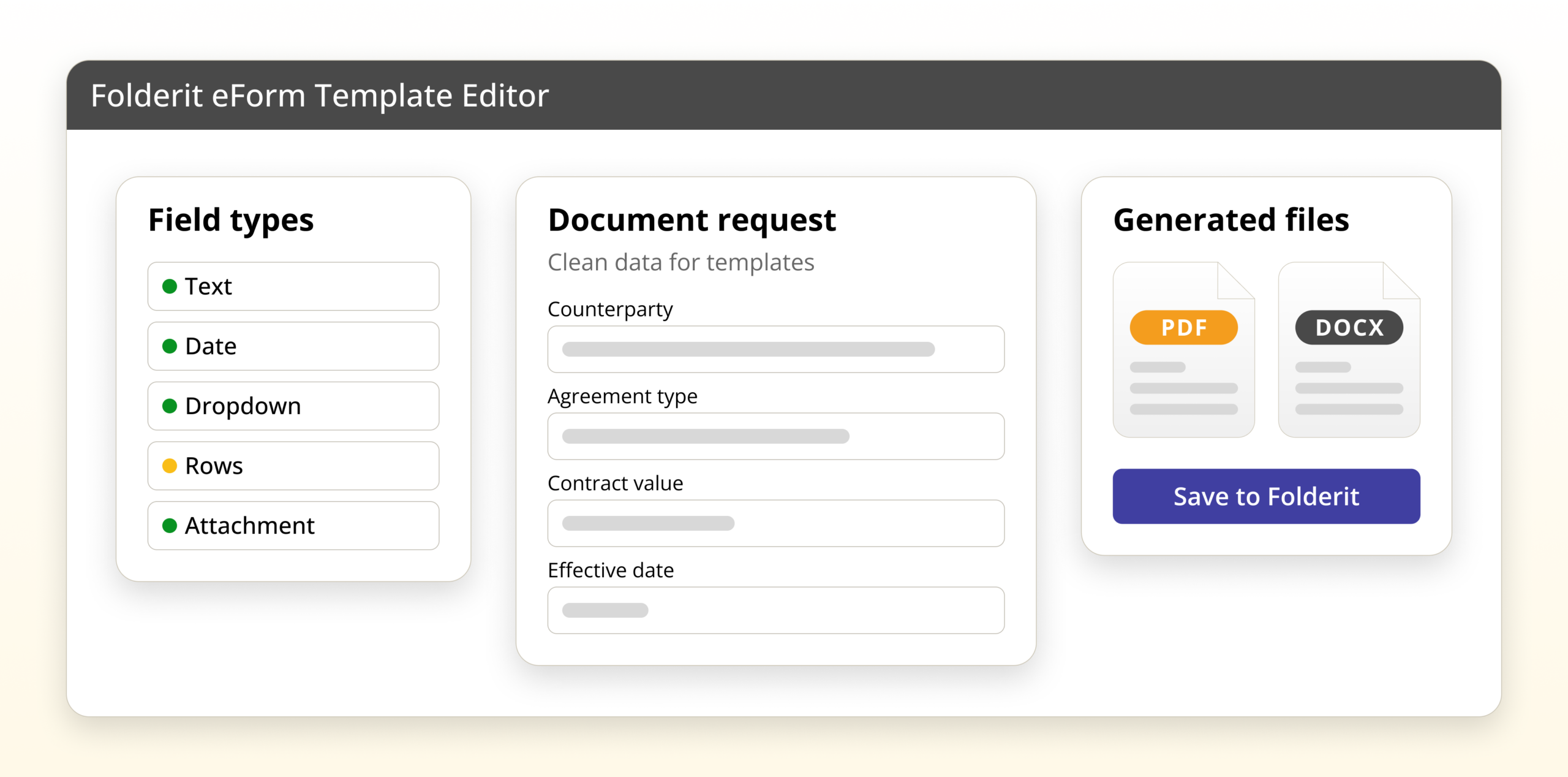
The process starts with a Folderit eForm. Admins define the fields that users need to fill in, such as employee name, contract type, loan amount, department, destination, expiry date, invoice rows, or any other structured information.
When a user submits the form, Folderit creates a record with those field values. These fields can also be used as metadata, shown in folder views, searched, filtered, and used as part of normal document management work.
2) Prepare an ODT document template
The document layout is prepared as an ODT template. This template contains normal document text, headings, logos, paragraphs, tables, and placeholders where Folderit should insert values from the form.
For example, a client agreement template may include placeholders for client name, client code, registration number, address, contact person, billing email, payment terms, and currency. When the document is generated, Folderit replaces those placeholders with real values from the submitted eForm record.
The ODT template is created once and uploaded to the document generation template setup for the relevant eForm.
3) Choose the output formats
For each document generation template, you can define which output formats should be available. For example, a team may want a PDF for final distribution and a DOCX when an editable Word document is needed.
On the filled eForm record, users can generate the document in the available format, such as DOCX or PDF.
4) Generate and choose the next action
Once the form has been submitted, the record contains the structured data needed for generation. The user opens the record and generates the document from the connected template.
Folderit can then handle the generated document in the way the user needs: save it in the system, download it as PDF or DOCX, or email it directly to a recipient from Folderit.
If the generated document is stored in Folderit, it becomes part of the controlled document environment. It can be shared, reviewed, approved, signed, retained, audited, and included in workflows just like other documents in the system.
For a step-by-step setup guide, see the Document Generation tutorial.
Key capabilities of Folderit document generation software
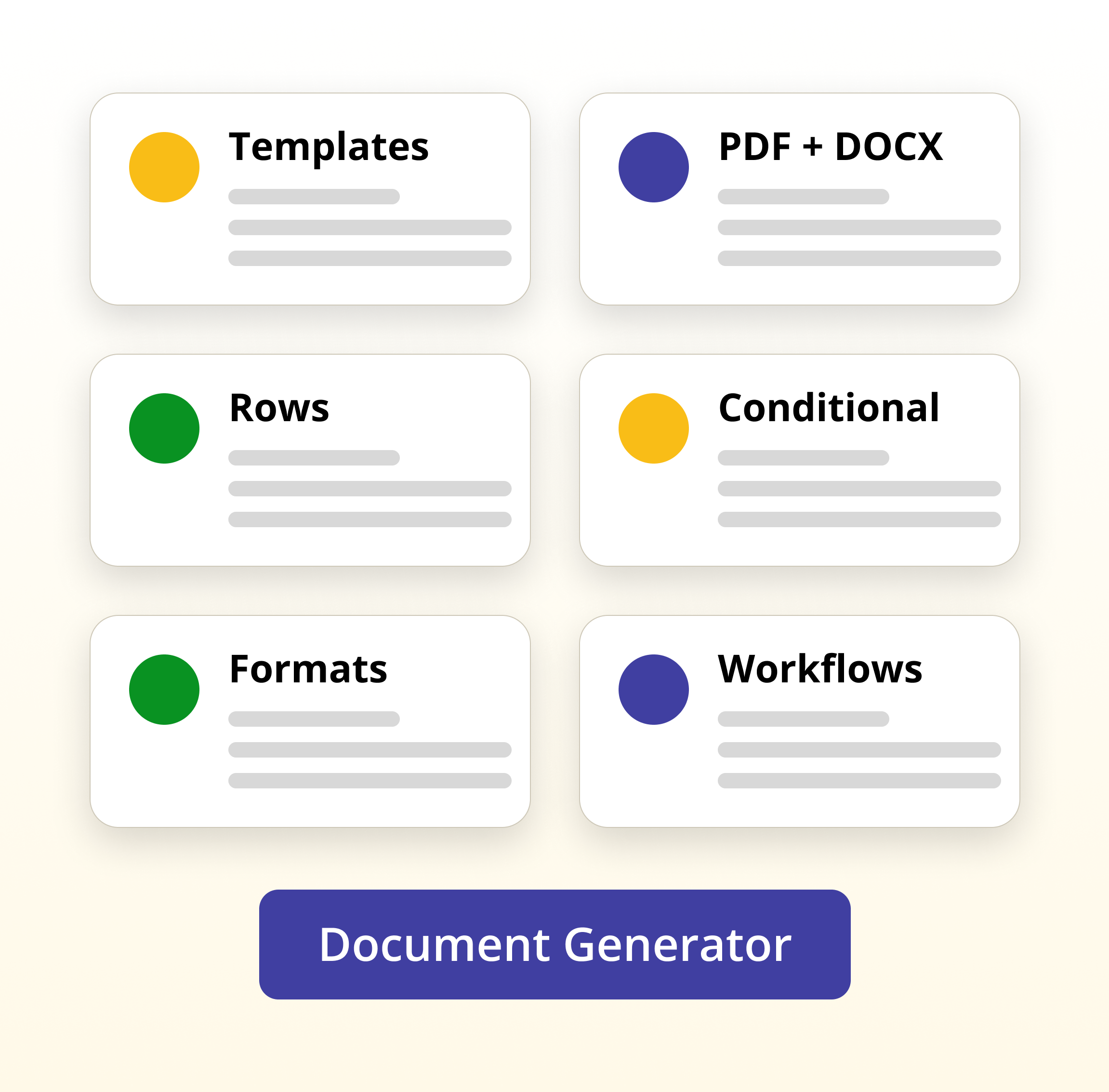
Template-based generation with no copy-paste
Templates help standardize documents across teams, departments, and locations. Users no longer need to find the latest old document, duplicate it, rename it, and manually replace details. They fill in a form, and the template controls the layout.
- Use reusable ODT templates
- Insert form values with placeholders
- Keep wording, layout, and branding consistent
PDF and DOCX generation
Generated documents can be made available as PDF, DOCX, or both, depending on how the document generation template is configured. PDF is useful for final distribution, while DOCX is helpful when an editable Word document is needed.
Store, download, or email generated documents
After generation, the document does not need to leave the document management process. It can be stored in Folderit, downloaded as a PDF or DOCX file, or emailed directly from the system to a recipient.
Storing the generated document in Folderit is especially useful when the document must remain part of a controlled record, workflow, audit trail, retention process, or long-term archive.
Workflows for generated documents
Generated documents can be used in Folderit workflows. A generated contract can be sent for approval, a policy document can be routed for acknowledgement, a report can be reviewed, and an agreement can be signed with Folderit eSign or DocuSign integration.
Repeating rows and lists
Some documents need repeating information, such as invoice lines, cost rows, participants, checklist items, assets, or ordered products. Folderit document generation templates can support repeated sections where the submitted form data contains multiple rows.
Conditional content
Some documents should include a paragraph or section only when a certain field is filled or a certain option is selected. Conditional sections help keep generated documents cleaner by showing relevant content and leaving out what does not apply.
Formatting for dates, numbers, and money
Generated documents often need values in a clear business format. Dates, numbers, and money values can be formatted in the template, so the final document is easier to read and ready for normal business use.
Works with Folderit eForms as structured data
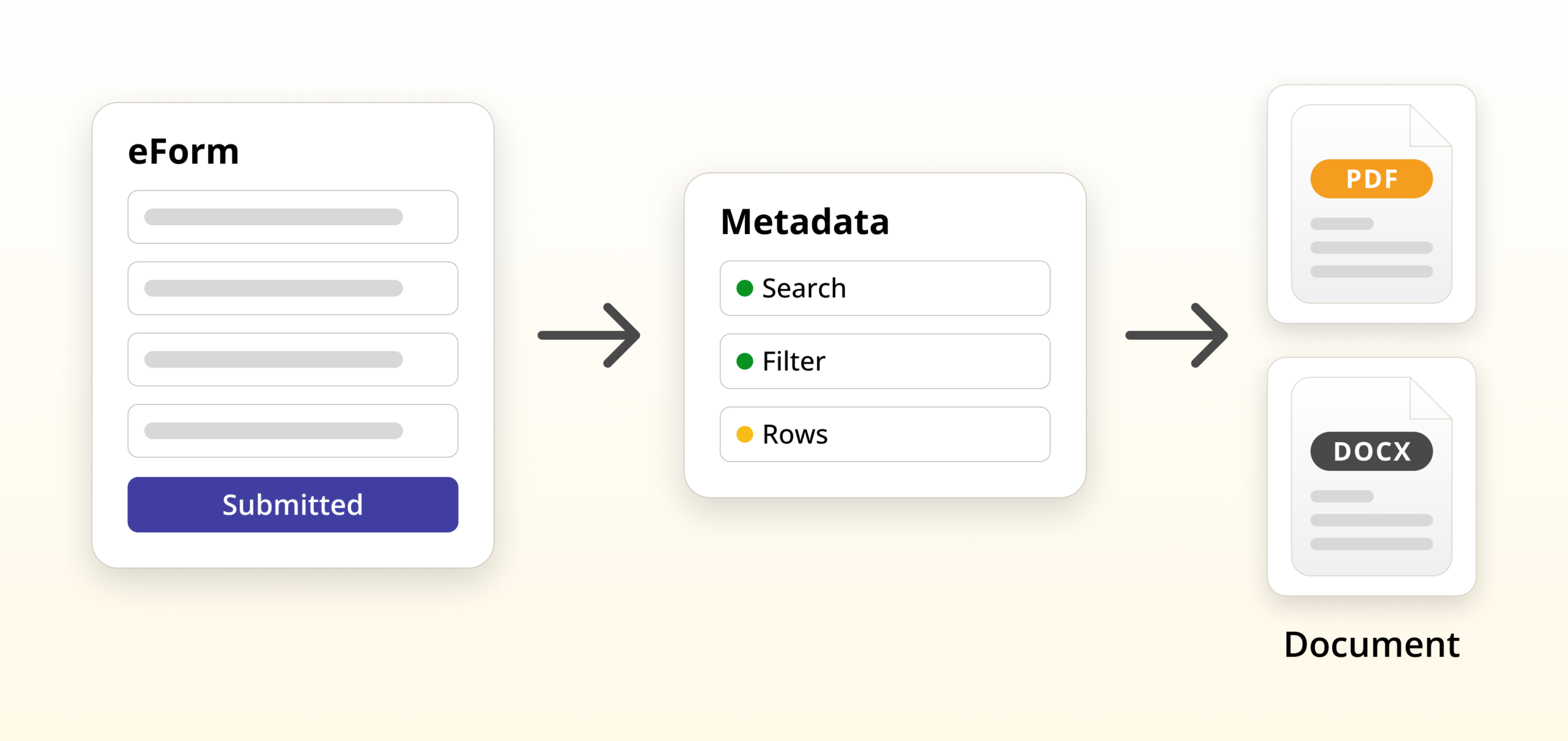
Folderit eForms let you create structured records inside folders. These records can contain field values and, when needed, file attachments. They behave like Folderit items, so they can be searched, filtered, shared, retained, audited, and included in workflows.
This makes eForms a practical starting point for document generation. The form collects clean data, and the document template turns that data into a finished PDF or DOCX document.
Start here:
Combine document generation with workflows
Generating a document is often only one step in a wider process. After a document is created and stored in Folderit, your team may need to review it, approve it, sign it, acknowledge it, or retain it for a defined period.
Because Folderit is a document management system, generated documents can be managed with the same wider set of DMS tools, including:
- approval workflows
- review workflows
- acknowledgement workflows
- Folderit eSign and DocuSign integration
- permissions, audit trail, sharing, version history, and retention
Learn more:
Common use cases for document generation software
Loan and application forms
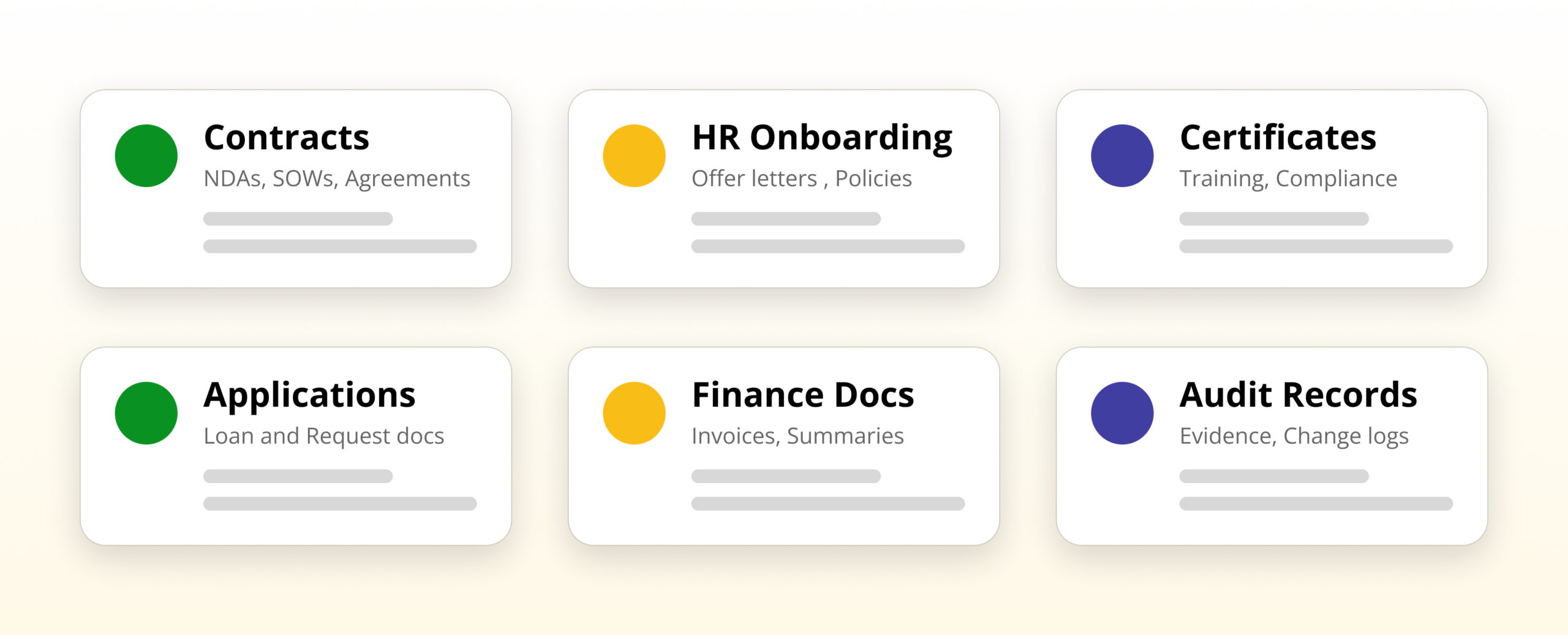
Collect application data in a structured form and generate a formal application document, internal summary, or review sheet from the same submitted data.
Contract generation from request forms
Generate draft agreements from structured request forms, then route the document to legal, management, or external parties for review and signing.
Read: Contract Generation from Request Forms
Certificates for training, compliance, or warranty
Create branded certificate PDFs with names, IDs, dates, validity periods, or other form values inserted automatically.
Read: Certificate Generator: PDF Certificates
HR onboarding documents
Generate offer letters, onboarding forms, policy acknowledgements, and employment-related documents from structured HR data.
Read: HR Onboarding Document Automation
Invoices and finance documents
Use form fields and repeating rows to generate finance documents, cost summaries, invoice drafts, or internal approval documents.
Read: Invoice Generator: PDF from Line Items
Change requests and audit records
Capture structured change information and generate formal records for review, approval, audit, or compliance evidence.
Security and governance that document automation tools often miss
Generated documents are not just files. They often become controlled business records: contracts, certificates, applications, approvals, HR documents, finance records, and compliance evidence.
Folderit helps you manage them with document management controls such as:
- granular access control
- audit trail
- version history
- retention automation
- secure sharing
- workflow-based review, approval, acknowledgement, and signing
See: Security & Privacy
Learn the fundamentals
- How to Create Documents from eForm Data
- What Is Document Generation?
- Document Generation Workflow: Form to PDF
- Generate PDFs from Form Data
- DOCX/ODT Template Placeholders
FAQ
Is this the same as mail merge?
Mail merge is useful for simple letters. Document generation software goes further by using structured form data, reusable templates, placeholder logic, repeated sections, conditional sections, and controlled document management after the document is created.
Can we generate both PDF and editable Word documents?
Yes. Folderit document generation templates can make PDF and DOCX output available, depending on how the document generation template is configured.
What format is used for the template?
The template file is prepared as an ODT file. The ODT template contains the document layout and placeholders that Folderit uses when generating the final document.
Can generated documents be stored in Folderit?
Yes. Generated documents can be stored in Folderit and then managed like normal documents with permissions, workflows, audit trail, sharing, version history, and retention rules.
Can generated documents be downloaded or sent by email?
Yes. A generated document can be downloaded as PDF or DOCX, or emailed directly from Folderit to a recipient.
Can workflows be used with generated documents?
Yes. Once the document is generated and stored in Folderit, it can be included in approval, review, acknowledgement, and signing workflows.
Do we need eForms to use document generation?
Folderit Document Generator is designed to work with structured form data. Folderit eForms provide a practical way to capture that data directly inside the document management system.
Ready to automate document creation with Folderit document generation software?
- Start a free trial: Sign up
- Explore plans: Pricing
- Ask questions: Contact Folderit