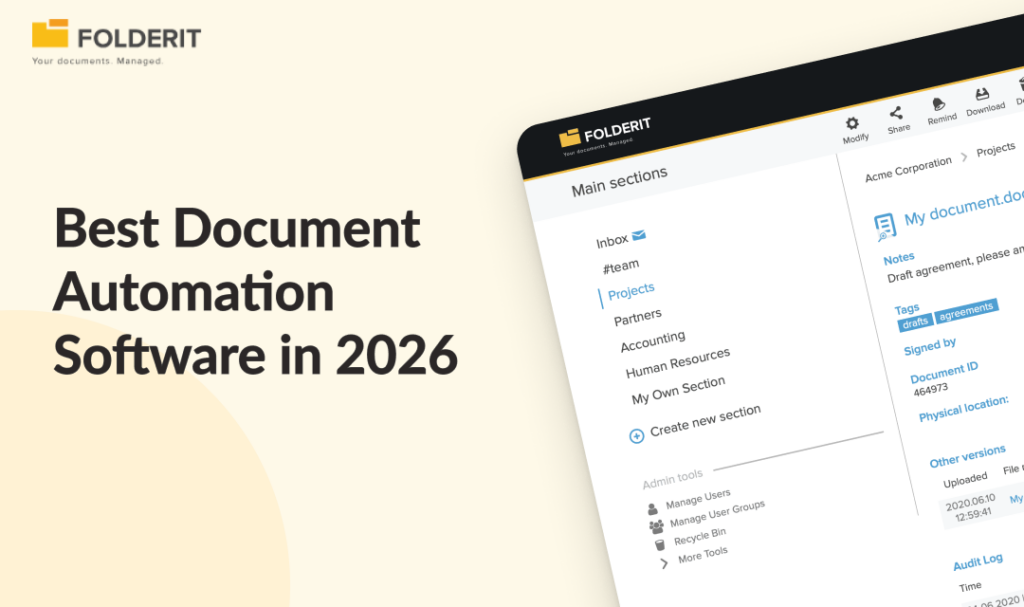
The best document automation software in 2026 depends on what you automate. Folderit is the strongest pick for SMEs that need approval workflows, retention automation, e-signatures, and audit-ready compliance in one system. PandaDoc suits sales teams, HotDocs suits legal drafting, and ABBYY Vantage suits high-volume data extraction.
This guide compares eight tools across the main automation categories: workflow and approval automation, document generation, template management, legal drafting, and data extraction. By the end, you will know which category fits your problem and which tool fits your budget, team size, and compliance requirements.
Best Document Automation Software Tools for Businesses at a glance
| Platform | Pricing | Deployment Effort | Key Automation & Governance Features | Best For |
| Folderit | Flat per-plan pricing | Low (deploys in days without IT) | Visual approval & acknowledgement workflows, retention automation, document numbering, template generator, native eSign & DocuSign, full audit trails | SMEs (10–500 employees) needing workflow automation plus audit-ready compliance |
| PandaDoc | Tiered subscription pricing | Low (quick sales-focused setup) | Drag-and-drop builder, pricing tables, CRM data merge (HubSpot/Salesforce), prospect engagement tracking, e-signatures | Sales teams automating high volumes of proposals, quotes, and agreements |
| Templafy | Enterprise custom pricing | High (enterprise-scale rollout) | Centralized M365 template management, dynamic content/branding/disclaimer adaptation based on user role or location | Large enterprises (1,000+ staff) prioritizing brand consistency and corporate template governance |
| Mitratech HotDocs | Enterprise custom pricing | High (requires template-building expertise) | Interview-based document assembly, conditional logic, complex clause variation automation | Law firms, legal departments, and financial institutions drafting complex, rules-driven documents |
| Docupilot | Budget-friendly / low-cost | Low (simple setup via Zapier, forms, or CRM data) | Word/PDF/fillable form template builders, automated delivery to cloud/email/eSign; pure generation engine | Small teams needing simple, low-cost template generation for invoices, certificates, and letters |
| ABBYY Vantage | Enterprise custom pricing | Moderate to High (AI-driven implementation) | AI-powered inbound data extraction, pre-built document processing “skills” (invoices, IDs), structured data output | Organizations processing high volumes of inbound paperwork to eliminate manual data entry |
| Conga Composer | Custom enterprise pricing | Moderate to High (requires active Salesforce ecosystem) | Deep Salesforce object mapping, auto-populating documents, quotes, and reports directly from CRM data | Salesforce-centric teams generating customer-facing agreements directly from CRM records |
| Formstack Documents | Tiered subscription pricing | Low to Moderate (no-code setup) | Web form submission data mapping, automated conversion to Word/Excel/PDF templates, automated delivery routes | HR, admissions, and operations teams converting web form submissions into finished records |
The 8 Best Document Automation Software Tools: Our Top Picks
1. Folderit: Best for SMEs That Need Automation Plus Compliance
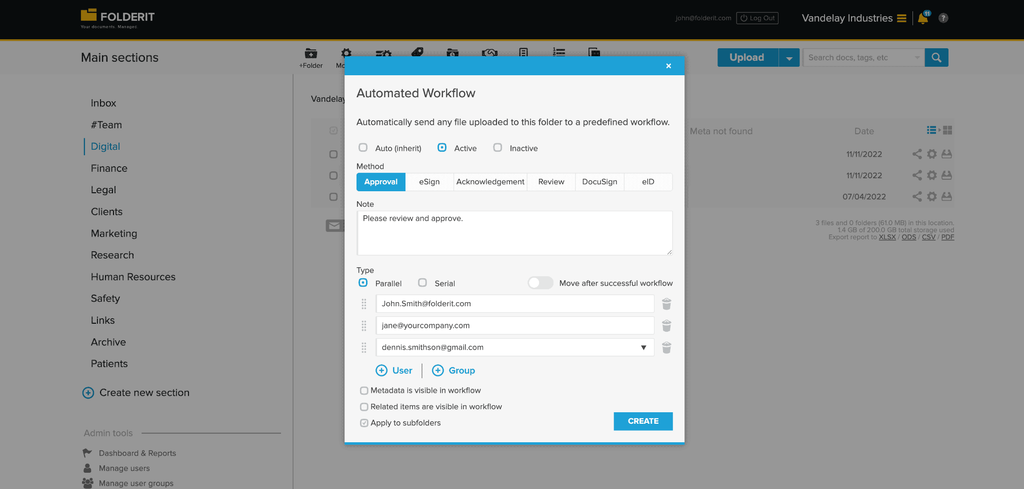
Why we picked it: Folderit combines document workflow automation with the governance layer most automation tools skip: full audit trails, version history, retention rules, and access controls. Every automated action leaves evidence, which matters if you answer to ISO 9001, ISO 27001, GDPR, HIPAA, or 21 CFR Part 11 auditors.
Best for: Businesses with 10-500 employees in regulated or compliance-sensitive industries (manufacturing, healthcare, legal, finance, engineering) that have outgrown shared drives.
Key features: A visual workflow designer for building approval and acknowledgement routes without IT help, a document generator that populates templates from metadata, automated retention policies that archive or flag documents at end of life, automated document numbering, and native e-signatures plus DocuSign integration.
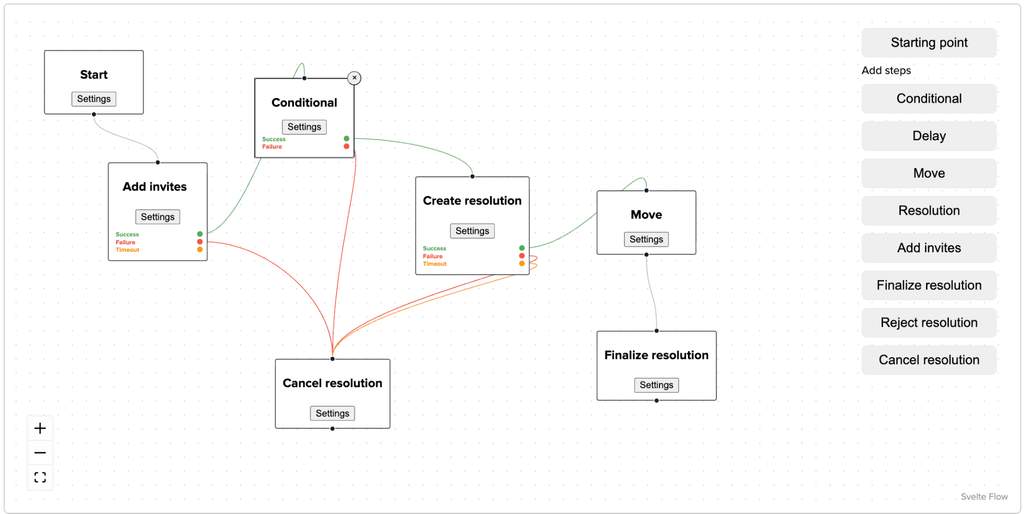
Capterra named Folderit the most user-friendly DMS in the world based on task-completion time benchmarking, and it deploys in days rather than months. Pricing is per-plan rather than per-user, so costs stay predictable as your team grows.
2. PandaDoc: Best for Sales Document Automation
Why we picked it: PandaDoc automates the quote-to-close document chain. Sales teams generate proposals and contracts from templates, pull in CRM data, and track when prospects open and sign.
Best for: Sales and revenue teams producing high volumes of proposals, quotes, and agreements.
Key feature: A drag-and-drop document builder with a content library, pricing tables, and built-in e-signature, connected to CRMs like HubSpot and Salesforce.
Trade-off: PandaDoc focuses on the sales cycle. It does not handle controlled document lifecycles, retention automation, or ISO-style document control.
3. Templafy: Best for Enterprise Template Management
Why we picked it: Templafy centralises company templates so every document employees create in Word, PowerPoint, or Outlook starts from an approved, on-brand version with current legal disclaimers.
Best for: Large organisations (1,000+ employees) where brand and legal consistency across thousands of daily documents is the main problem.
Key feature: Templates that adapt content, branding, and disclaimers based on the user’s department, language, or location.
Trade-off: Templafy solves document creation consistency, not approval workflows or records governance. Pricing and rollout scope target enterprises, not SMEs.
4. Mitratech HotDocs: Best for Legal Document Assembly
Why we picked it: HotDocs is a long-established tool for turning complex legal documents into automated templates driven by interviews and conditional logic. It reduces drafting errors in documents with heavy clause variation.
Best for: Law firms, in-house legal teams, and financial institutions generating complex, rules-driven documents.
Key feature: Conditional logic and interview-based assembly that builds bespoke contracts and legal forms from answers to structured questions.
Trade-off: Implementation requires template-building expertise, and it does not manage the stored document’s lifecycle after generation.
5. Docupilot: Best Budget Pick for Template-Based Generation
Why we picked it: Docupilot generates documents from templates using data pushed from forms, CRMs, or Zapier at a lower price point than most competitors.
Best for: Small teams automating repetitive documents like invoices, certificates, and letters from existing data sources.
Key feature: Template builders for Word, PDF, and fillable forms with delivery automations to email, cloud storage, or e-signature tools.
Trade-off: It is a generation engine only. Storage, approval routing, and audit evidence need to live somewhere else.
6. ABBYY Vantage: Best for Intelligent Data Extraction
Why we picked it: ABBYY Vantage approaches automation from the input side, using AI-powered extraction to read invoices, IDs, and forms and push structured data into business systems.
Best for: Organisations processing high volumes of inbound documents where manual data entry is the bottleneck.
Key feature: Pre-built extraction “skills” for common document types that shorten deployment for standard use cases like invoice processing.
Trade-off: Enterprise pricing and a focus on data capture rather than document control, approvals, or retention.
7. Conga Composer: Best for Salesforce-Native Generation
Why we picked it: Conga Composer generates quotes, contracts, and reports directly from Salesforce data, which removes retyping errors for teams that live in Salesforce.
Best for: Salesforce-centric organisations automating customer-facing documents from CRM records.
Key feature: Deep Salesforce object mapping so documents populate from any standard or custom field.
Trade-off: Value depends almost entirely on Salesforce adoption. Outside that environment, it offers little.
8. Formstack Documents: Best for Form-to-Document Workflows
Why we picked it: Formstack Documents converts form submissions into finished documents automatically, which suits teams collecting data through web forms.
Best for: HR, admissions, and operations teams turning structured form data into letters, agreements, and records.
Key feature: Merge fields that map form responses into Word, Excel, or PDF templates with automated delivery.
Trade-off: Like other pure generators, it stops at creation. Governance of the finished document is out of scope.
What Is Document Automation Software (And Which Type Do You Need)?
Document automation software replaces manual document tasks with rule-based processes: generating documents from templates and data, routing them for approval and signature, distributing them to the right people, and applying retention rules automatically. The category splits into four types, and buying the wrong type is the most common mistake.
- Workflow and lifecycle automation (Folderit): automates approvals, acknowledgements, numbering, reminders, and retention across a document’s full life.
- Document generation (Folderit, Docupilot, Conga, Formstack): creates finished documents from templates and structured data.
- Template management (Templafy, HotDocs): controls what documents look like and contain at the point of creation.
- Data extraction (ABBYY Vantage): reads inbound documents and turns them into structured data.
Most tools in this list cover one of those categories. Folderit is the exception because its document generator creates PDFs and DOCX files from eForm data and reusable ODT templates, and then keeps the generated document inside the same system where approval workflows, e-signatures, audit trails, and retention rules are already running. That means the generation step and the governance step happen in one place rather than requiring two separate tools.
If your pain is chasing approvals, proving compliance, or enforcing retention, you need lifecycle automation. If your pain is retyping data into templates, you need generation. Many SMEs need both far more than they realise, because audit findings originate wherever generated documents leave the controlled environment and end up in email inboxes, shared drives, or someone’s downloads folder.
How We Chose These Tools
We evaluated each tool against five criteria weighted for small and mid-market businesses: automation depth (what the tool automates beyond generation), compliance evidence (audit trails, version history, approval records), time to value (days versus months to deploy), usability for non-technical staff, and total cost of ownership including per-user fees and implementation services. Tools that require IT departments or six-month implementations scored lower, because most 20-250 person businesses have neither.
Which Document Automation Software Is Right for Your Business?
Match the tool to your dominant pain point, not the longest feature list.
- You fail audits or fear the next one: Choose Folderit. Its approval workflows and audit trails produce the evidence auditors ask for.
- Your sales team drowns in proposals: Choose PandaDoc.
- Your legal team drafts complex, clause-heavy documents: Choose HotDocs.
- Your bottleneck is inbound paperwork and data entry: Choose ABBYY Vantage.
- You need cheap, simple template generation: Choose Docupilot or Formstack Documents.
Most businesses combine two types. A common SME setup pairs a generation tool for outbound documents with Folderit as the controlled repository where approvals, e-signatures, versioning, and retention happen.