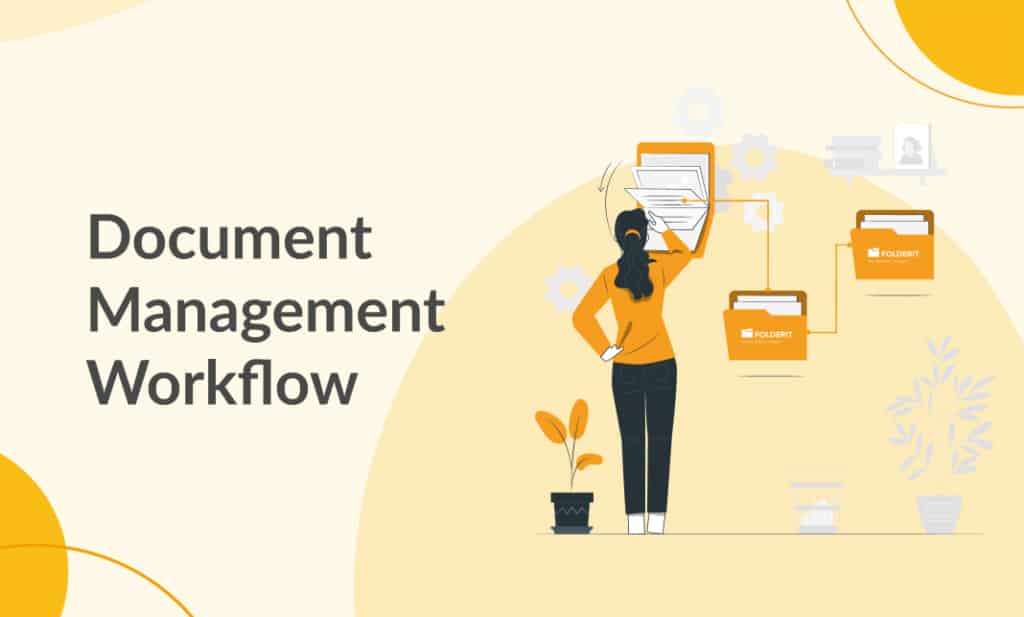
A document management workflow is a structured process that controls how documents are created, received, reviewed, approved, signed, distributed, stored, and retained.
Instead of relying on email attachments, shared drives, spreadsheets, and manual follow-ups, a document management system keeps the document, its metadata, permissions, versions, tasks, and audit history together.
This makes it easier to find the correct document, assign responsibility, prevent missed steps, and prove what happened throughout the document lifecycle.
What Is a Document Management Workflow?
A document management workflow defines the route a document follows and the actions required at each stage.
For example, a contract may need to be:
- uploaded or created in the document management system;
- classified with metadata and a document number;
- reviewed by the Legal department;
- approved by Finance and Management;
- sent for electronic signing;
- moved to the correct contract folder after completion;
- retained according to the organization’s records policy.
A well-designed workflow ensures that every participant knows what they must do, which document version they should use, and when their task is due.
Common Document Management Workflow Examples
Document workflows are used anywhere information must move through a controlled business process. Common examples include:
- contract review, approval, and signing;
- invoice and purchase approval;
- project proposals and change requests;
- employee onboarding and HR documentation;
- policy distribution and acknowledgement;
- quality documents and controlled document release;
- incident and compliance reporting;
- financial reports and board documents;
- training records and certificates;
- marketing materials and publication approval;
- engineering drawings and technical documentation;
- supplier and procurement documentation.
Why Are Document Management Workflows Important?
Documents are easier to find
Business documents often become difficult to locate because they are spread across local computers, shared drives, inboxes, chat applications, and cloud storage services.
A document management system creates one controlled repository where users can search by document name, metadata, tags, dates, due dates, and document content.
Folderit also uses OCR-powered full-text search for scanned documents and images, with automatic language detection. This makes text inside scanned files searchable instead of leaving it locked inside an image.
Processes become consistent
Manual document processes often depend on individual habits. One employee may request approval by email, another may use a spreadsheet, and someone else may store comments in a separate document.
A defined workflow ensures that the same stages, instructions, participants, and decision rules are followed each time. Reusable workflow templates can standardize recurring processes across teams, departments, or locations.
Responsibilities are clear
Every workflow task is assigned to a specific user or group. Participants can see what action is required, which document it concerns, and whether a deadline applies.
Requesters can monitor task status without repeatedly asking participants for updates.
Document versions remain controlled
Email-based workflows often create several uncontrolled copies of the same document. It can become difficult to determine which attachment is current or whether a decision was made using an outdated version.
Folderit maintains unlimited document version history, allowing users to work with the current version while preserving earlier versions for reference and audit purposes.
Audit and compliance evidence is retained
Document workflows can create a detailed record of task creation, participants, instructions, decisions, comments, clarification requests, delegation, and completion timestamps.
This provides stronger evidence than relying on disconnected email threads or handwritten notes. Folderit’s audit trail records user and system activity and can be exported when required.
How Does a Document Management Workflow Work?
A document management workflow normally includes the following stages:
- Capture: A file is uploaded, created, received by email, scanned, submitted through an eForm, or added through an integration.
- Classification: Metadata, tags, document numbers, relationships, and other information are added.
- Routing: The document is assigned to the correct users, groups, or workflow stages.
- Action: Participants review, approve, reject, acknowledge, sign, or complete required information.
- Follow-up: The system sends notifications, tracks deadlines, and records clarification or delegation.
- Completion: The document may be moved automatically, published, archived, retained, or used to start another workflow.
- Reporting: The workflow history, decisions, and timestamps remain available for monitoring and audit purposes.
Document Management Workflows in Folderit
Folderit combines document management, access control, metadata, search, version history, workflow automation, and electronic signing in one system.
Approval, acknowledgement, review, and signing
Folderit supports approval, acknowledgement, review, Folderit eSign, DocuSign, eID signing, and field-completion workflows.
These methods can be used individually or combined within one multi-stage workflow. For example, a document can first be reviewed, then approved, and finally signed.
Parallel, serial, and custom workflow order
Workflow participants can be arranged in:
- Parallel order, where participants receive tasks at the same time;
- Serial order, where each task begins after the previous task is completed;
- Custom order, where parallel and serial stages are combined in one process.
Manual and automated workflows
A workflow can be started manually from the item’s Workflow menu, triggered automatically when a file is added to a configured folder, or started through an automation created with the visual workflow builder.
Advanced automations can use configured triggers, conditions, stages, participants, and routing rules.
Reusable workflow templates
Workflow templates allow administrators to prepare recurring processes once and make them available to users.
A template can be limited to specific files, folders, links, or records created from a particular eForm. This ensures users see only the workflow templates relevant to the item they are working with.
Custom workflow methods
Administrators can create custom workflow methods based on Folderit’s standard methods.
The underlying behaviour remains based on approval, acknowledgement, signing, or another standard method, while the organization can customize names, button labels, result labels, colours, messages, delegation, and file-access settings.
For example, an Approval method can be presented as Management Review, with actions such as Accept, Return for Changes, and Request More Information.
Due dates and flexible decision rules
Individual workflow tasks can have due dates. A stage can also require acceptance from all recipients, a fixed number of recipients, or a percentage of recipients.
Rejection thresholds can be configured as well. For example, a workflow may continue when three of five committee members approve or fail after two rejections.
Request clarification
Participants do not always need to approve or reject immediately. They can use Request clarification to ask another user or group for more information while keeping the original task open.
A clarification request can include a written question and an optional supporting file.
Automated document routing
After successful workflow completion, Folderit can move the document automatically to another folder. That destination may have its own workflow, allowing the process to continue without manual routing.
Personal task dashboard
Approval, acknowledgement, review, signing, and other workflow assignments appear together in each user’s My tasks dashboard.
Users can see the task method, status, creation date, and due date in one list.
Workflow history and summaries
All workflows connected to an item are shown together in the item detail view. Each workflow can be expanded to display instructions, participants, decisions, comments, and timestamps.
A consolidated workflow summary can be downloaded separately or together with the document, providing a useful record for audits, contracts, quality documents, and regulated processes.
Document Search, Metadata, and Relationships
A workflow is only effective when users can find and understand the documents involved.
Folderit supports custom metadata fields, including text, numbers, dropdowns, dates, and other field types. Folder-level metadata templates can make fields mandatory, helping maintain consistent document information.
Advanced search and filtering can use metadata, date ranges, due dates, tags, and OCR-recognized text. Search results can also be exported for reporting and further analysis.
Files, folders, and external URLs can be linked or related. This helps users navigate between contracts, appendices, invoices, correspondence, and other connected records without duplicating the content.
Collaboration and Integrations
Folderit integrates with Microsoft 365, allowing authorized users to create and edit Word, Excel, and PowerPoint documents within the system. A separate Microsoft 365 subscription may be required.
The Outlook Add-in allows selected emails to be saved directly to a Folderit folder. Email-to-folder functionality can also capture information such as sender, subject, and email content as metadata.
Other integration options include DocuSign, API access, MAKE, SSO providers, and external applications connected through Folderit’s integration capabilities.
Document Management Workflow Security
Document workflows often involve contracts, financial information, personal data, intellectual property, and other sensitive content. Security must therefore be built into both the repository and the workflow.
Folderit protects data at rest with 256-bit AES encryption and secures data in transit with EV SSL encryption.
Granular access control can be applied at account, section, folder, file, tag, and sub-tag level. Available permission levels include Preview-only, Upload-only, Viewer, and Editor, with additional controls over downloading, editing, and audit-trail visibility.
Organizations can also configure two-factor authentication, mandatory 2FA, password policies, IP whitelisting, automated access expiration, and SSO through providers such as Microsoft Azure AD, Google, and Okta.
Dynamic watermarking can be applied to previews and downloads, including conversion to PDF where required.
How to Design a Document Management Workflow
- Select the process. Start with a document process that is repetitive, delayed, difficult to monitor, or compliance-sensitive.
- Map the current steps. Identify who creates, reviews, approves, signs, distributes, and stores the document.
- Remove unnecessary work. Simplify the process before automating it.
- Define the trigger. Decide whether the workflow starts manually, when a file is uploaded, when a form is submitted, or when another condition is met.
- Assign participants and stages. Choose users, groups, workflow order, and required decisions.
- Set visibility and permissions. Decide what each participant can preview, download, edit, or see.
- Add deadlines and exceptions. Plan for due dates, rejection, clarification, delegation, and absence.
- Define the final destination. Decide where the document should move and whether another workflow should begin.
- Test the workflow. Use representative documents and participants before wider deployment.
- Create a template or automation. Reuse the validated process consistently.
Benefits of a Document Management Workflow
- faster document review and approval;
- fewer missed tasks and deadlines;
- clear ownership and accountability;
- consistent processes across the organization;
- better control over document versions;
- reduced reliance on email attachments;
- stronger access control and information security;
- complete audit history and workflow evidence;
- easier compliance reporting;
- less repetitive administrative work.
Build a Better Document Management Workflow
A document management workflow is more than a route from one inbox to another. It connects the document with its metadata, permissions, versions, participants, decisions, deadlines, and final record.
With Folderit, organizations can begin with a simple approval or acknowledgement process and expand into multi-stage workflows involving several departments, electronic signing, clarification requests, automated routing, reusable templates, and organization-specific workflow methods.
Try Folderit DMS for free and start building controlled document management workflows.