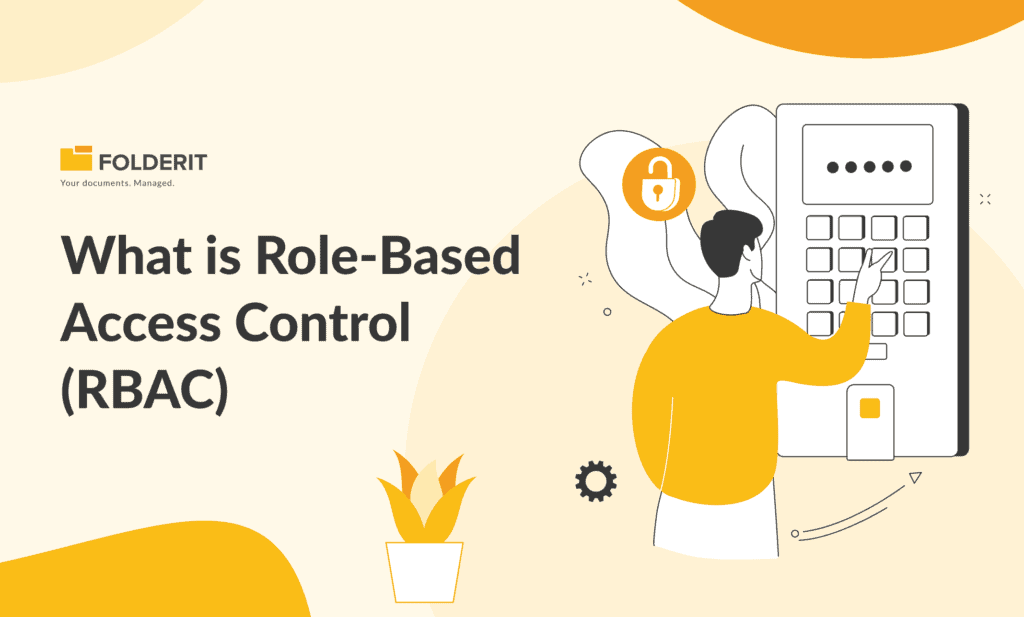
Role-based access control (RBAC) is a method of managing system access in which permissions are assigned to roles rather than to individual users, and users receive those permissions by being assigned a role. In a document management system, this means a person’s job function determines which documents they can open, edit, download, or share.
Most organisations arrive at RBAC after the alternative has stopped working. Access gets granted one person at a time, exceptions accumulate, someone changes department and their old permissions linger, and eventually nobody can produce the audit trail an assessor will ask for, showing who had access to a given document and when. Assigning access by role rather than by individual replaces that accumulation with a structure you can document, review, and evidence.
What are RBAC Roles
A role is a job function expressed as a set of permissions. Rather than deciding what a named individual should be able to do, you decide what a quality manager, a project administrator, or an external auditor should be able to do, and then assign people to those definitions. The distinction matters because job functions are stable while individuals are not. People join, move between teams, cover for colleagues, and leave, and when access is attached to a role each of those events becomes a straightforward reassignment rather than a fresh set of decisions.
Governing all of this is the principle of least privilege, which holds that a role should carry the minimum access needed to do the work and nothing beyond it. In practice this is less about restricting people than about limiting how far a problem can travel. If a set of credentials is compromised or someone makes a mistake, the damage is bounded by what that role could reach. Applied to documents, least privilege is also what makes an access model defensible under audit, because every permission granted traces back to a stated job function rather than to someone’s request.
How does RBAC work?
RBAC works by putting a layer between people and permissions. Instead of granting access directly to a user, you define a role, attach permissions to that role, and then assign users to it. Four elements make up the model:
- Users are the individual people or service accounts that need access to the system.
- Roles are named job functions that group permissions together, such as document controller, department approver, or external auditor.
- Permissions are the specific actions the system allows, like previewing a file, adding a new version, downloading a folder, or viewing an audit log.
- Sessions are the link between a user and the roles active for them at any given moment, which is what allows one person to hold more than one role and operate under the relevant one.
The consequence of that extra layer is that permission changes happen in one place. Adjusting what a document controller can do updates every document controller at once, rather than requiring you to find and edit each person’s access individually. It also means access can be described in a sentence an auditor will accept, because the answer to who can approve a procedure is a role definition rather than a list of names that accumulated over three years.
What are the four RBAC models?
The four levels of RBAC come from the model that Sandhu, Ferraiolo and Kuhn proposed in 2000 as the basis for a unified NIST standard, and the thing to understand about them is that they are cumulative rather than competing options. Each adds a requirement to the one before it, so an organisation is not choosing between them so much as deciding how far up the ladder it needs to go.
- Flat RBAC is the baseline. Users receive permissions only through roles, one person can hold several roles, and you can review which users hold which role. For many teams this level alone replaces years of accumulated ad hoc access decisions.
- Hierarchical RBAC adds inheritance between roles. A quality manager role can inherit everything a document controller does and add approval rights on top, which avoids redefining the same permissions repeatedly as seniority increases.
- Constrained RBAC adds separation of duties, meaning certain combinations of role cannot be held by the same person. In document control this is what prevents the author of a procedure from also being the person who approves it, a control auditors test for directly.
- Symmetric RBAC adds review in the opposite direction. As well as asking what a role can do, you can ask which roles hold a given permission, so a question like which roles can download this contract folder has a definite answer rather than requiring an investigation.

The standard eventually adopted as ANSI/INCITS 359 organises the same ideas differently, into core and hierarchical RBAC plus static and dynamic separation of duty, but the four levels remain the clearest way to describe how far an access model actually reaches.
Most small and mid-sized organizations operate somewhere between flat and hierarchical and reach for constrained rules only where a regulator or an ISO clause requires them. What matters more than the label is knowing which level your current setup actually reaches, because the gap between what you assume your permissions do and what they allow in practice is where audit findings come from.
What is the difference between RBAC and ABAC?
Attribute-based access control decides access from attributes rather than from job titles. Instead of asking what role this person holds, it evaluates properties of the user, properties of the document, and properties of the situation, then grants or denies access based on a policy that combines them.
The differences come down to a handful of dimensions.
- What decides access
- RBAC: the role the user holds.
- ABAC: attributes of the user, the document, and the context.
- What a rule looks like
- RBAC: document controllers can edit procedures.
- ABAC: quality staff can edit procedures in draft status, during working hours, from a managed device.
- Granularity
- RBAC: coarse to moderate.
- ABAC: very fine.
- Setup effort
- RBAC: low to moderate.
- ABAC: high.
- Ongoing maintenance
- RBAC: reassigning roles as people move.
- ABAC: maintaining attribute data and policy logic.
- Ease of audit review
- RBAC: straightforward, permissions are visible per role.
- ABAC: harder, decisions are computed when access is requested.
- Best suited to
- RBAC: organisations with stable job functions.
- ABAC: large organisations needing highly conditional access.
The practical answer for most small and mid-sized organisations is RBAC, for a reason that has little to do with capability. ABAC is more expressive, but that expressiveness has to be maintained, and it produces access decisions that are calculated at the moment of the request rather than visible in advance. When an assessor asks who can approve this procedure, a role model answers with a list and an attribute model answers with a policy that has to be interpreted. Simplicity in the model is what makes access reviewable, and reviewable access is the point.
In practice the two rarely appear in pure form. Most systems that describe themselves as role-based apply attribute-like conditions on top, restricting access by IP address or requiring a second factor before a role takes effect. That hybrid is usually the sensible destination, giving you role definitions an auditor can read alongside contextual controls where the risk justifies them.
Two older models sit behind both. Discretionary access control lets the owner of a file decide who else can see it, which is how shared drives and consumer cloud storage behave, and mandatory access control assigns fixed classification labels centrally. Both are covered in more depth in our guide to access permissions.
Why is role-based access control important?
The general case for RBAC is that it reduces the surface area of a breach, which is true and also true of almost every access control ever built. The specific case is more useful, because the failures RBAC prevents in a document environment are ones most organisations recognise from experience.
- People working from the wrong version. When everyone can edit everything, superseded procedures stay in circulation and staff follow them in good faith. Restricting edit rights to the people who own a document is part of what keeps a single approved version authoritative.
- Access that outlives the reason for it. Someone covers a colleague’s role for a month, or moves from finance to operations, and the old permissions stay behind. Across a few years this accumulates into a set of access rights nobody designed and nobody can justify.
- Sharing that leaves the organisation unnoticed. Sensitive files get forwarded or downloaded because nothing prevented it. Viewing and downloading are separable permissions, and separating them is often the single highest-value restriction available.
- No answer when it matters. After an incident, or midway through an audit, the question becomes who had access and what did they do with it. Without roles, answering that means reconstructing history from memory and hoping the reconstruction holds.
Breach reduction is the headline, but the day-to-day value is narrower and more mundane than that. RBAC turns access from a series of individual favours granted over time into a documented structure, and a structure can be reviewed, explained, and corrected in a way that a pile of favours cannot.
How does RBAC support compliance requirements?
No framework mandates role-based access control by name. What they require is that access is defined deliberately, granted on the basis of need, reviewed periodically, and removed when it is no longer warranted. RBAC is the most common way of satisfying that, and more importantly it is the way that produces evidence an assessor can inspect.
- ISO 27001:2022 addresses access across three controls. Annex A 5.15 requires rules governing who gets access to what, A 5.18 covers provisioning, reviewing, modifying and removing access rights across the whole user lifecycle, and A 8.3 concerns the technical restriction that enforces the policy in the system itself. The 2022 revision expects periodic review rather than one-time configuration, which is where most implementations fall short. Our guide to running a DMS under ISO 27001 covers the wider control set.
- ISO 9001:2015 requires under clause 7.5.3 that documented information is available where it is needed and protected from unintended alteration. Restricting edit rights by role is the practical mechanism for the second half of that requirement, and it is a routine line of questioning in document control audits.
- GDPR requires appropriate technical measures under Article 32 and confidentiality of personal data under Article 5. Limiting who can open employee records or client files to those whose role requires it is how the principle becomes operational rather than aspirational, as covered in our guide to meeting GDPR with a DMS.
- HIPAA is more explicit than most. The information access management safeguard at §164.308(a)(4) and the access control safeguard at §164.312(a)(1) together require that access to protected health information is restricted to what a person’s function requires, which maps onto roles almost directly. See our overview of compliance in healthcare.
- NIS 2 requires access control policies as part of the baseline risk management measures under Article 21, which for in-scope organizations makes documented role definitions a supervisory expectation rather than good practice. Our NIS 2 checklist sets out the wider obligations.
- 21 CFR Part 11 requires under §11.10(d) that system access is limited to authorised individuals, which in regulated manufacturing means role definitions have to be documented and defensible alongside the records themselves.
It is worth being precise about what this does and does not achieve. Configuring roles does not make an organisation compliant with any of the above. What it does is make the access half of compliance provable, so that when an assessor asks who could alter this procedure and when their access was last reviewed, the answer comes from the system rather than from someone’s recollection. That shift, from asserting control to evidencing it, is the whole value.
How do you design roles for document access?
A role matrix is a table setting out every role you intend to create and exactly what each one can do. It is worth building before touching any settings, partly because it forces decisions into the open and partly because the finished table is itself the evidence an assessor will ask for. The example below shows the shape it takes in a document environment.

A worked example for a document environment looks like this.
- Standard employee. Preview and download only. No upload, versioning, approval, or audit trail access.
- Document controller. Download, upload, add new versions, read the audit trail. Cannot approve.
- Department approver. Download, approve, read the audit trail. Cannot upload or add versions.
- External auditor. Preview and read the audit trail. Cannot download anything.
- External contractor. Preview and upload. Nothing else.
The external auditor can preview documents and read the audit trail, but cannot download anything. That gives an assessor everything needed to verify control without letting copies of controlled documents leave the system.
The document controller holds the widest day-to-day permissions but cannot approve. That separation is deliberate, and it applies the constrained RBAC principle from earlier to the most commonly tested control in document management, which is that the person preparing a procedure should not also be the person authorising it.
Building your own version comes down to a few habits.
- Start from document types, not people. Asking who should be able to approve a policy produces a cleaner answer than asking what Sarah should be able to do.
- Keep the number of roles small. Most organisations under two hundred and fifty people are well served by five to eight, and every role you add has to be maintained and reviewed indefinitely.
- Name the role without naming a person. If you cannot, it is not a role.
- Watch for roles that fit exactly one person. That is usually an exception dressed as a role, and handling it as an exception means it surfaces during review rather than hiding in the structure.
Keep the matrix as a living document rather than a setup artifact. When someone requests access it does not cover, the request is either a signal that the matrix is wrong or a signal that the request is. Having the table to hand turns that into a two-minute decision rather than a negotiation, and that is the point at which role design stops being an IT task and becomes part of document control practice.
How do you implement RBAC in a document management system?
Implementations tend to fail in one of two directions. Either roles are drawn so tightly that people cannot do their jobs and exceptions start accumulating within the first week, or they are drawn so loosely that the model restricts nothing and exists mainly on paper. Sequencing the work avoids both.
- Inventory document types before configuring anything. List what you hold, such as procedures, contracts, employee records, drawings, invoices, rather than mirroring the folder structure you already have. Existing folders encode past decisions you may be trying to escape.
- Assign permissions to groups, never to individuals. Put the permission on a group and the person in the group. It takes the same time initially and saves the entire cost of every subsequent change, because moving someone between user groups is one action rather than an audit of their individual rights.
- Decide the level at which permissions live. Folder-level assignment covers most cases and stays comprehensible. File-level assignment is for genuine exceptions, and each one you create is something a future reviewer has to find and understand.
- Default to the least access that still works. Starting restrictive and loosening on request gives you a record of why each permission exists. Starting permissive and tightening later means guessing which access is load-bearing, which nobody wants to do in a live system.
- Pilot with one department before rolling out. A single team using the model for a fortnight will surface the exceptions your matrix missed, and it will surface them while they are still cheap to fix.
- Set the first access review date before you go live. Reviews that are not scheduled do not happen, and an unreviewed model degrades steadily from the day it is switched on.
The honest expectation on timing is days to weeks rather than months, but the configuration is not the slow part. Agreeing who should be able to approve what is the slow part, and that conversation belongs to the business rather than to IT. Organisations that treat role design as a technical task tend to end up with a model that reflects the system’s defaults rather than how the work is actually done.
How do document platforms handle role-based access control?
Platforms advertising role-based access control differ considerably more than the shared label suggests, and the differences usually only become apparent once you are committed. A handful of questions separate systems where roles genuinely govern access from systems where a role is closer to a label.
- Can viewing and downloading be separated? If anyone who can open a document can also take a copy of it, you do not have meaningful control over distribution. This single distinction matters more than most feature lists suggest.
- Do permissions apply at both folder and file level? Folder-only systems force you to restructure your filing whenever an access requirement changes, which is how tidy structures become sprawling ones.
- Are permissions held by groups rather than people? Systems that only support individual assignment appear fine at twenty users and become unmanageable at eighty.
- Is the audit trail itself governed by a permission? Being able to decide who can read the log is a meaningful control, and it also determines whether you can give an auditor read access without giving them anything else.
- Can you interrogate access from the permission side? Asking which roles can download this folder should return an answer directly. If it requires checking roles one at a time, access reviews become a project rather than a task.
- How are external parties handled? Contractors, auditors and clients need bounded access without becoming licensed users, and platforms vary widely in whether that is possible at all.
- Does it connect to your identity provider? SSO through Entra ID, Okta or Google keeps authentication where IT already manages it, while authorization stays with the document system. The division matters because your identity provider knows who someone is and only the document platform knows what a document is.
On compliance specifically, what separates platforms is rarely the ability to restrict access. It is whether the system can produce evidence about access without manual effort, meaning exportable permission reports, timestamped and tamper-resistant logs, and retention rules that apply automatically rather than by reminder. That distinction is what document management compliance rests on in practice.
This is also where general-purpose file storage and document management diverge most sharply. Shared drives and consumer cloud tools implement sharing, which answers who can see this file. Document management implements governance, which answers who may do what with this document, under whose authority, and with what record.
What are the limitations of RBAC?
RBAC is well established rather than flawless, and its failure modes are predictable enough to design around. Naming them is also what separates a useful explanation from a sales pitch.
- Role explosion. Handling every exception by creating a new role produces organisations with forty roles for sixty people. At that point the model has stopped simplifying anything and has become a second, worse version of individual permissions.
- Privilege accumulation. Roles get added when people take on new responsibilities and are rarely removed when those responsibilities end. Left alone for a few years, long-serving employees quietly acquire the broadest access in the organisation, usually without anyone intending it.
- Administrator inflation. Granting admin rights is the fastest way to unblock someone who is stuck, which is exactly why the number of administrators only ever goes up. It is worth tracking that count as a number you review, because it tends to be the largest single gap between an access model on paper and the one in operation.
- Temporary access that becomes permanent. Cover arrangements during leave are the usual culprit. Access granted for three weeks stays for three years unless the system can express an end date, which is why handling deputies as a defined arrangement rather than an informal permission change matters more than it sounds.
- Reviews that never happen. Almost every framework expects periodic access review and almost no organization performs one until an audit is scheduled. A model that is never reviewed diverges from reality steadily and invisibly.
- No sense of context. A role cannot express that a document should be editable only while in draft, or only from a managed device. Those conditions need something layered on top, which is the practical reason hybrid models exist.
None of these argue against RBAC, since the alternatives fail in worse and less visible ways. They argue for treating the model as something maintained rather than installed. In practice that means a scheduled review at least annually, an exported permission report as the record of it, a named owner for role definitions, and a working assumption that any role held by exactly one person deserves a second look.
Folderit: A Paradigm of RBAC in DMS
Folderit stands out as a DMS that meticulously implements RBAC, ensuring a secure and structured data management environment. In Folderit, roles are predefined, and each role comes with a specific set of permissions, ensuring a clear demarcation of access and control.
One of the upcoming features in Folderit is the CUSTOM permission level, set to be released soon. This innovative feature, available in the Tailor plan, offers a very granular access management system. It allows for diverse use cases, such as granting someone the ability to only view the list of file names without accessing the actual files or toggling the visibility of the audit trail. This level of detailed access control ensures that organizations can customize permissions to fit their unique needs, enhancing both security and operational efficiency.
Folderit allows the creation of roles such as Administrator, Editor, Viewer, and Uploader, each with distinct permissions. For instance, an Editor can modify files but cannot alter user roles, ensuring they can perform their duties without compromising security. Moreover, Folderit allows the assignment of permissions at a granular level, enabling access to be defined not just at the folder level but also at the file level.
Folderit’s audit trail feature ensures that all interactions with the data are logged, providing a clear record of who accessed or modified data, and when. This not only enhances security but also aids in compliance and accountability.
Navigating the Future with Secure RBAC
Implementing RBAC, especially in DMS like Folderit, ensures that data is not only secure but is also accessible to those who need it, when they need it. As organizations navigate through the digital realm, RBAC will continue to be a pivotal strategy in balancing accessibility with cybersecurity, steering towards a future where data management is both secure and efficient.