
Charities run on trust. Donors want to know funds are handled responsibly. Regulators and auditors expect clear evidence. Beneficiaries deserve privacy. And your team needs a simple way to keep everything organised without living in inboxes, shared drives, and spreadsheets.
That’s why records management for charities matters. It isn’t just “saving files”. It’s having a clear, defensible system for how information is captured, controlled, retained, and retrieved—especially when you’re audited, applying for grants, or responding to a data request.
Folderit is built for exactly that: secure document management with audit trail, granular permissions, retention automation, OCR search, and workflows—plus eForms for capturing structured records directly inside the right folder.
What this article covers
- The types of records charities typically manage (and why it gets messy fast)
- How to simplify retention, audits, access control, and search
- How Folderit eForms help charities capture consistent records (not just store documents)
What this article does NOT cover
- Legal advice for your specific country or regulator (always confirm retention and privacy requirements locally)
- Accounting software or fundraising platform recommendations
- “Best charity software” comparisons
Why charity recordkeeping becomes difficult over time
Most charities don’t struggle because they don’t care. They struggle because records end up spread across too many places:
Board papers in someone’s personal drive, donor communications in email, programme files on a shared folder, finance evidence split between accounting software and PDFs in inboxes, and policies saved in multiple versions with no clear “latest”.
Over time, this creates two problems. First, retrieval becomes slow: when you need evidence, you spend hours hunting. Second, governance becomes risky: it’s hard to prove what happened, who approved what, and whether sensitive information was protected properly.
A proper records management system brings everything into one controlled repository, with a structure that matches how your charity actually operates.
What records charities typically need to manage
Exact requirements vary by country, but most charities handle a similar set of record categories.
Governance and legal
Trust deeds or founding documents, board meeting packs and minutes, resolutions, registrations, compliance policies, and regulator correspondence.
Correspondence and “evidence of decisions”
Emails, letters, grant communications, stakeholder approvals, and any documentation that explains why decisions were made.
Operational and programme records
Project files, service delivery documentation, monitoring and evaluation evidence, research records (where relevant), and supporting materials.
Case files and beneficiary records
These are often the most sensitive records: intake details, eligibility documentation, support notes, outcomes, consent records where required, and safeguarding-related information. They need strict access control and careful retention.
Finance and resources
Donation records, receipts and invoices, grant documentation, annual reporting packs, property and asset records, supplier agreements, and anything needed for audits.
The key isn’t only having the documents. It’s having them organised in a way where you can confidently answer: “Where is the evidence?” and “Who had access?”
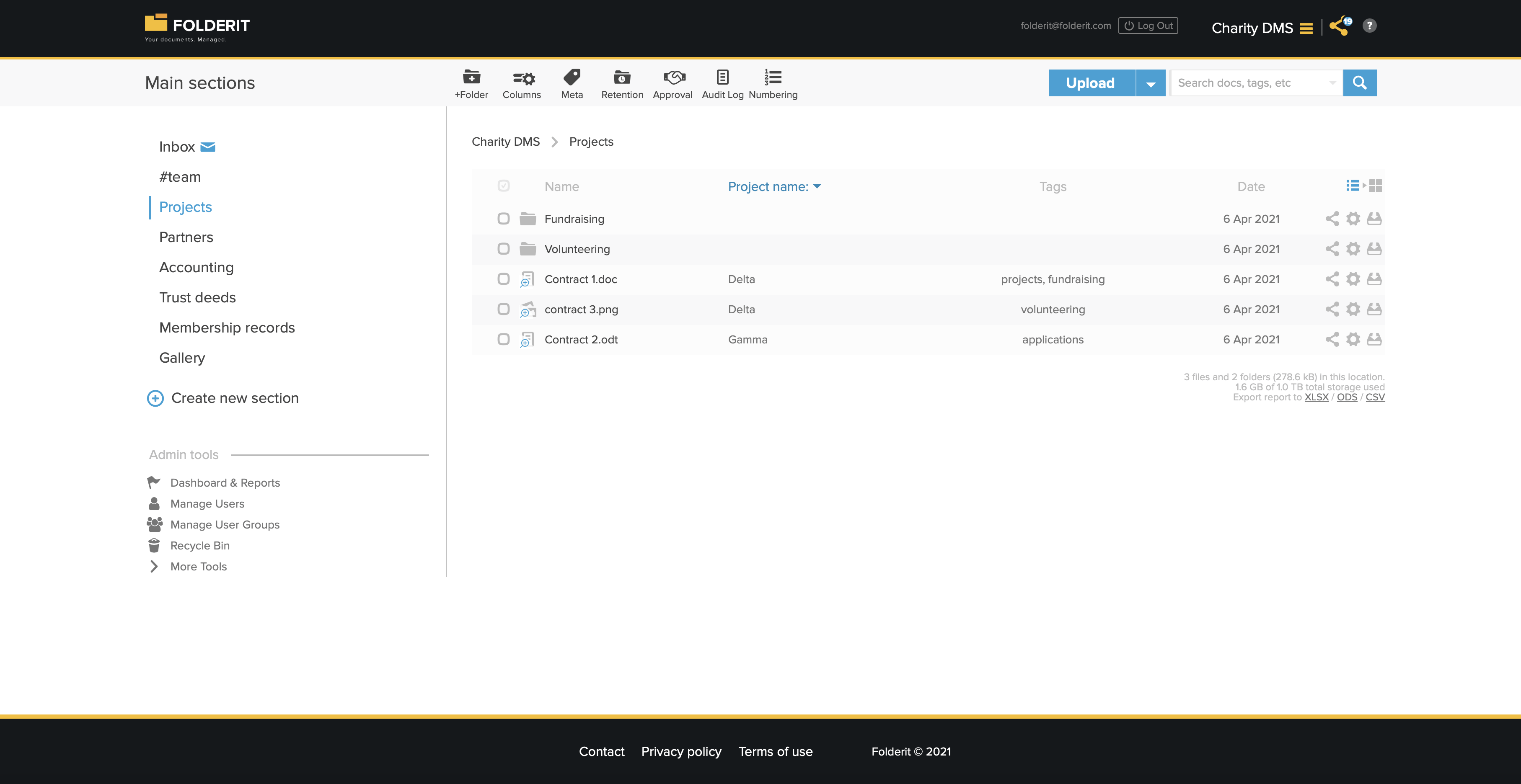
Don’t just store records—capture them properly with eForms
A lot of recordkeeping problems start at the moment of creation.
Someone submits an incident report by email. A team lead keeps a donor call note in a Word file. A volunteer sends a photo and a few details in a chat app. Later, HR tries to reconstruct the official record—and you end up with partial information scattered everywhere.
Folderit eForms solve this by letting you capture structured records directly inside the system, in the right folder, without needing an uploaded document at all. Think of an eForm as a fileless record with fields (dates, dropdowns, numbers, text, attachments) that becomes searchable and permissioned like everything else in Folderit.
For charities, this is especially useful for repeatable processes such as:
incident reports and safeguarding logs, expense and purchase requests, donor interaction notes, volunteer onboarding records, beneficiary intake summaries, equipment handovers, and internal compliance checklists.
Instead of “we have lots of emails”, you get consistent records, in the correct place, with the same access rules and audit trail as your documents.
Retention rules that don’t rely on memory
Retention is one of the easiest things to get wrong with manual storage.
If you delete too early, you risk non-compliance. If you keep everything forever, you increase privacy risk—especially for personal data. A proper records management approach lets you define retention rules so records are kept for the right amount of time, then handled consistently.
Folderit supports retention time automation at file or folder level, so you can apply policies such as:
- finance records retained according to your local requirements,
- governance documents retained longer for accountability,
- beneficiary/case records handled with stricter retention rules based on your privacy and safeguarding framework.
This is where charities often benefit most: your policy becomes a system rule, not a “best effort”.
Compliance made practical: audits, access control, and proof
Charities are often asked to demonstrate compliance to auditors, boards, grant funders, or regulators. The difference between “we think we’re compliant” and “we can prove it” usually comes down to three things.
Controlled access
Folderit supports granular permissions on files and folders, plus permission levels like preview-only and editor access. You can also limit capabilities such as downloading or visibility into audit details, depending on your policies.
Audit trail
Folderit maintains an audit trail for user and system activity. That means you can answer questions like who accessed a record, when it was downloaded, and what changed—without relying on memory.
Auditor access without overexposure
When auditors need evidence, you can give them read-only access to only the folders that matter. Access can also be time-limited. You’re sharing evidence, not your entire organisation’s internal repository.
Data protection that matches the sensitivity of charity work
Charities often handle highly sensitive information. A records management system should protect that data at rest, in transit, and through strict access control.
Folderit includes 256-bit AES encryption for data at rest and SSL encryption for data in transit. You can enforce two-factor authentication and custom security policies (password rules, mandatory 2FA, IP whitelisting), and rely on strong backups. Combined with granular permissions, this helps protect beneficiaries, donors, volunteers, and staff.
It also supports dynamic watermarking on previews and downloads, which is useful when you need to share documents externally but still want accountability.
Day-to-day documentation that doesn’t become a mess
Charities don’t only store records—they create them constantly: board packs, annual reports, grant submissions, policies, newsletters, partner agreements, and programme documentation.
Folderit supports practical work habits:
creating and editing documents via Office 365 integration (separate Microsoft subscription required), routing files through approval workflows, and signing either through Folderit eSign or DocuSign integration (separate DocuSign subscription required). When those steps happen inside the same system where the documents are stored, the final evidence trail is easier to defend.
And when you need something fast—during an audit or grant report—OCR-powered search helps you find content even inside scanned documents, not only in filenames.
Why Folderit is a strong fit for charities
Many charities assume proper records management software is priced for large enterprises. But charities need strong governance without the overhead.
Folderit is designed to be secure and compliant while staying straightforward to use. It’s also cost-effective, with plans starting from €19 per organisation, which makes it realistic even for smaller charities that still need professional recordkeeping.
If you want to see how Folderit works for your charity, the easiest next step is to choose one process you currently handle by email (incident reporting, volunteer onboarding, donor notes, expense requests) and turn it into an eForm stored in the correct folder. That one change usually makes the value obvious immediately.
Try Folderit for free and see how much calmer recordkeeping becomes when documents, structured records, permissions, and audit trails all live in one place.