Most contract registers start with good intentions. Someone builds an Excel file with columns for supplier, start date, end date, value, and “owner”. For a while, it works.
Then real life shows up. A renewal date passes unnoticed because the “latest” file lives in someone’s inbox. A signed PDF is stored in a different folder than the register. An amendment exists, but nobody knows which contract record it belongs to. When a manager asks “How many contracts expire next quarter?” you don’t answer—you start hunting.
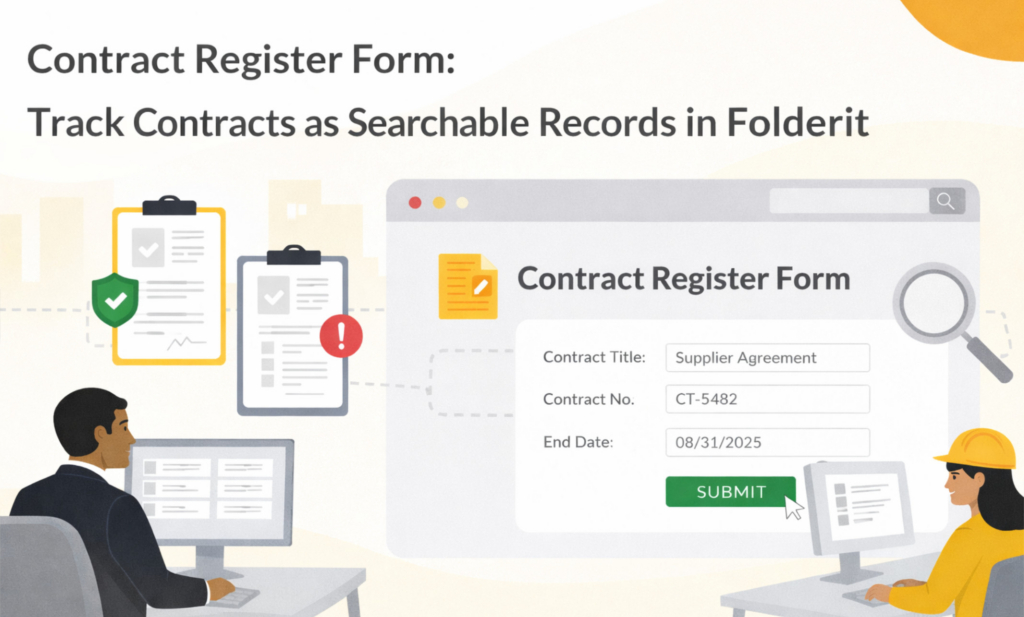
A contract register form fixes that by turning each contract into its own record, right inside your document management system. It’s still easy to add and update, but now it’s structured, searchable, permissioned, and traceable.
In Folderit, this is exactly what eForms are for: creating metadata-based records in a folder without needing to upload a file first, while still allowing you to attach the actual contract files when needed.
What a contract register form looks like in Folderit
Think of it as a “contract card” rather than a spreadsheet row.
You create one form template called something like “Contract register entry”. When someone fills it in, Folderit creates a record item in the chosen folder. That record behaves like a normal Folderit item: it follows folder permissions, can be shared (if allowed), supports workflows and reminders, and has an audit trail.
If the signed contract exists as a PDF, you attach it to the same record. If you have amendments, you attach those too. When someone opens the contract record a year later, everything is in one place.
How to build a contract register form in Folderit
You create form templates under Admin tools → Form templates.
Add a new template and name it “Contract register entry”. Keep it simple and obvious—that’s what users will select later when creating records.
Now set the record name pattern. This is a small detail that has a huge impact on usability, because it makes your register readable in folder lists and search results without relying on people to type good titles.
A practical record name pattern is:
{contract-id} – {counterparty}
So you end up with entries that look like:
CT-2025-014 – Nordic Facilities OÜ
CT-2024-031 – MedTech Research Ltd
Folderit builds those names automatically using placeholders from your form fields.
The fields that make a contract register actually useful
This is where many teams overcomplicate things. The best contract register form is the one people fill in correctly, every time.
Start with fields that answer the questions people ask most often:
- Contract ID
- Counterparty
- Contract owner (responsible person)
- Start date
- End date
- Renewal date (or notice period date)
- Status (Draft / Active / Expired)
- Contract type (Supplier / Customer / NDA / Lease, etc.)
- Value (optional)
- Notes (optional)
Then add one file field for attachments so users can upload the signed contract PDF, plus any amendments, statements of work, or related documents. Folderit supports file fields in forms, so the record can hold documents without creating separate folder chaos.
If you want one extra field that pays off immediately, add a dropdown like “Risk level” or “Confidentiality”. It’s a simple way to support internal governance without writing long notes.
What it feels like for users
When the template is ready, using it is straightforward.
A user goes to your Contracts folder, clicks the arrow next to Upload, and selects “Contract register entry” from the form list. They fill in the details, attach the PDF if they have it, and submit. Folderit creates a new contract record in that folder, named using your pattern.
This is usually where adoption happens: people don’t feel like they’re “updating a register”. They feel like they’re saving a contract properly.
Renewal tracking without calendar chaos
Most organisations try to solve renewals with personal calendar reminders. That’s fragile, because it depends on one person remembering and staying in the role.
With a contract register form, you store renewal and notice dates as structured fields. That unlocks two practical workflows:
First, you can filter your contracts by date. For example, “renewal date in the next 60 days” becomes a quick view rather than a manual scan.
Second, you can set reminders and assign responsibility. When a renewal is coming up, the contract owner gets notified. The reminder is connected to the actual contract record, not to someone’s private calendar.
This is the difference between “we hope someone remembers” and “the system surfaces what’s due”.
Search and reporting that doesn’t require spreadsheet exports
Once you treat contracts as records, your contract register becomes genuinely searchable.
Because form fields act like metadata, you can filter by contract owner, counterparty, contract type, status, and date ranges. Folder views can show key fields as columns, so leadership can quickly scan what’s active, what’s expiring, and who owns what.
When you do need to report externally or present a summary internally, you can export results. But exporting becomes optional, not the only way to make sense of the register.
Approvals and signing, connected to the register
A register isn’t just a list. Contracts go through decisions.
With Folderit, you can keep the register entry and the decision process together. When a contract is being negotiated, you can route the draft through approval or review workflows. When it’s ready, you can sign using Folderit eSign or send it to DocuSign, then store the executed version back on the same record.
The important part is continuity. The register entry doesn’t become a dead row after signing. It stays as the living record: contract details, attachments, and history in one place.
Permissions and audit trail that spreadsheets can’t offer
Contracts are sensitive. Not everyone should see pricing, terms, or even the existence of certain agreements.
A contract register form inside Folderit inherits your folder permissions, so you can restrict access by department, role, or project. And because actions are logged, you get traceability: who viewed the contract, who edited metadata, and when changes happened.
That’s hard to achieve with spreadsheets without adding friction and policing.
A simple way to roll it out
If you already have a contract spreadsheet, don’t try to migrate everything perfectly before anyone can use the new process.
Create the contract register form first. Start using it for new contracts from today. Then migrate old contracts gradually—by year, by supplier, or by department. That approach avoids a painful “big bang” project and still gets you value immediately.
Quick FAQ
Is a contract register form the same as a contract database?
In practice, yes. A contract register form creates structured contract records that you can filter, search, and manage like a database—without forcing users to adopt a complex system.
Can we attach signed contracts and amendments to the record?
Yes. Folderit forms support file fields, so you can store the executed contract and any related documents directly on the register entry.
Can we track renewals and responsibilities?
Yes. Use date fields for renewal/notice dates and a contract owner field to make filtering and reminders practical, so renewals don’t live in personal calendars.
A contract register shouldn’t be a document you maintain. It should be a system you can rely on.
With a contract register form in Folderit, each contract becomes a searchable record with clear ownership, renewal visibility, attachments, permissions, and a history you can trust. And once contracts are structured like this, everything gets easier: audits, renewals, handovers, reporting, and day-to-day access.
If you want, share the columns in your current contract spreadsheet and I’ll map them into a clean first version of a Folderit contract register form, including a record name pattern that stays readable as the register grows.